Digital Accessibility Updates: Navigating 2024 Standards
Stay ahead with the latest digital accessibility updates, navigate federal accessibility standards, and embrace WCAG 2.2 guidelines for an inclusive web presence.
The internet is a fundamental part of daily life, yet millions of users still face unnecessary barriers when navigating the web. Staying informed about the latest digital accessibility updates is no longer just a best practice — it is a core component of modern business strategy. If you are a business owner or developer, you might find yourself asking: is accessibility a legal requirement? The short answer is a resounding yes. As global regulations tighten and digital platforms evolve, ignoring these mandates exposes organizations to significant liabilities while alienating a massive segment of the population.
Let's explore the essential shifts in the digital landscape, the latest technical guidelines, and how you can ensure your platforms are welcoming to everyone.
The shifting legal landscape in 2024 and beyond
The regulatory environment surrounding digital inclusion is moving faster than ever. If you follow ADA compliance web news, you know that courts and legislative bodies are taking a firmer stance on digital barriers.
For instance, scanning the headlines for ADA Title II news reveals that the U.S. Department of Justice (DOJ) has issued strict, specific mandates requiring state and local governments to make their websites and mobile apps accessible within defined timeframes. Similarly, businesses monitoring ADA website accessibility rule news are realizing that Title III of the ADA is being heavily enforced in the private sector through a continuous wave of consumer litigation.
This enforcement isn't limited to local businesses. Adherence to federal accessibility standards, specifically the updated Section 508 standards for federal agencies, remains non-negotiable for any organization hoping to secure government contracts.
Globally, the clock is ticking. Companies must prepare for the European Accessibility Act deadlines for businesses, which mandate strict accessibility requirements for a wide range of digital products and services by June 2025. Failing to comply with these overlapping mandates carries severe legal risks of digital non-compliance, ranging from devastating financial penalties to permanent brand damage. Keeping a close eye on ongoing WCAG enforcement news is crucial for mitigating these risks and protecting your organization.
Understanding the latest guidelines: WCAG 2.2
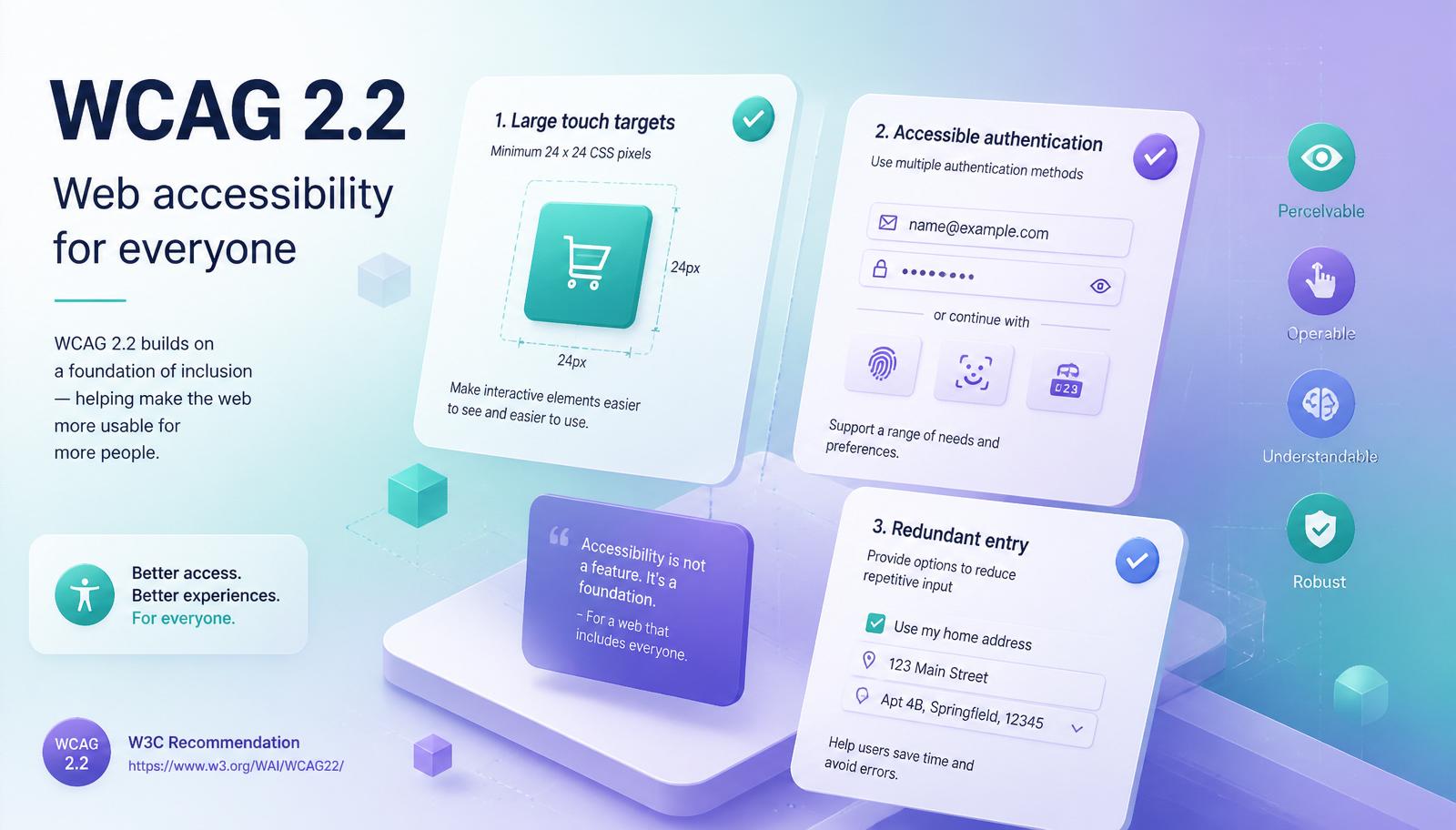
At the heart of these legal mandates are the Web Content Accessibility Guidelines (WCAG). Recent web standards updates have shifted the focus toward a more inclusive user experience. If you are currently reviewing your organization's accessibility standards, it is vital to understand the key differences between WCAG 2.1 and 2.2.
Published recently, the newest iteration introduces several WCAG 2.2 new success criteria aimed primarily at helping users with low vision, motor impairments, and cognitive challenges. Some of the most notable updates include:
- Accessible authentication. Websites can no longer rely solely on cognitive tests (like memorizing complex passwords or solving visual puzzles) for logging in.
- Target size minimums. Interactive elements must be large enough to be easily activated, reducing frustration for users with mobility tremors.
- Redundant entry. Users should not be forced to enter the same information multiple times during a single process.
- Focus not obscured. When an element receives keyboard focus, it must not be hidden behind sticky headers, cookie banners, or chat widgets.
- Dragging movements. Any drag interaction must have a single-pointer alternative for users who cannot perform precise gestures.
These updates push developers to focus heavily on designing for cognitive and learning disabilities, ensuring that user interfaces are intuitive, predictable, and stress-free. Every time you roll out a new accessibility update, it should reflect these modern, user-centric priorities.
Practical steps: auditing and remediation
A common challenge for development teams is figuring out how to conduct a web accessibility audit effectively. A successful audit requires a balanced approach to testing.
Many organizations rely entirely on software scanners, but it is important to understand the limitations in the automated versus manual accessibility testing debate. While automated tools are fantastic for quickly catching missing alternative text, empty links, or basic color contrast failures, they only catch about 30% of actual barriers. Manual testing — especially testing conducted by native users of assistive technology — is essential for capturing the true user experience.
When fixing common website accessibility barriers, prioritize structural clarity. This involves optimizing screen reader navigation patterns so visually impaired users can logically tab through your content without getting trapped or lost.
Proper ARIA roles and landmarks implementation is critical during this phase. ARIA (Accessible Rich Internet Applications) attributes act as hidden signposts, telling screen readers exactly what each section of a webpage does. However, ARIA should be used carefully; a common rule of thumb among developers is that *no ARIA is better than bad ARIA*.
A pragmatic audit stack
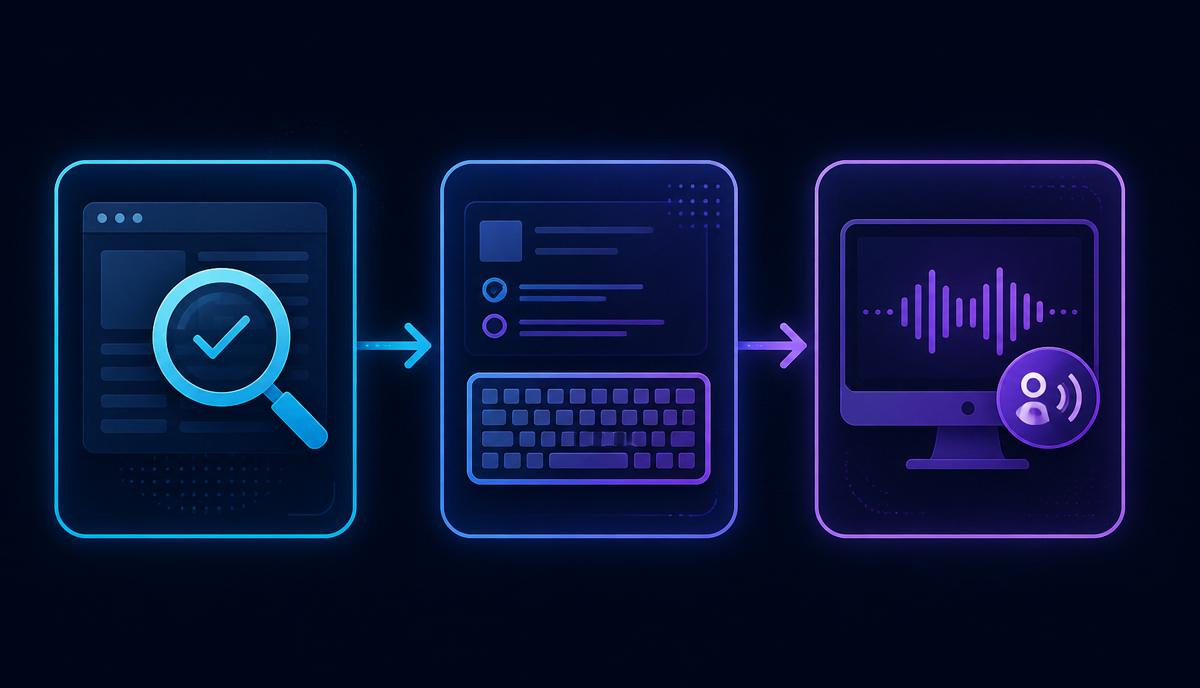
Layer — Tool — What it catches
Automated — axe DevTools, Lighthouse — Alt text, contrast, ARIA misuse
Keyboard-only pass — Tab / Shift+Tab through every flow — Focus traps, invisible focus
Screen reader — NVDA (Windows), VoiceOver (macOS/iOS), TalkBack — Reading order, live regions
Zoom & reflow — Browser zoom to 400% — Horizontal scroll, clipped content
Real users — Paid testers on Fable or Applause — The 70% automation misses
Advancing UI/UX and assistive technology

As browsing habits change, inclusive design for mobile user interfaces has become a massive focal point in recent web accessibility updates. Mobile users rely on unique gestures, diverse touch targets, and responsive layouts that must function perfectly whether a device is held in portrait or landscape mode. Menus must be easily dismissible, and text must remain legible without requiring multi-directional scrolling when magnified.
Furthermore, forward-thinking developers are exploring emerging assistive technology integration techniques. Modern browsers and smart devices are rapidly integrating voice controls, eye-tracking software, and AI-driven spatial navigation tools. Ensuring your site's underlying HTML is semantic and clean is the best way to guarantee it interacts seamlessly with these advanced technologies.
Building your compliance strategy
How can an organization keep up with these sweeping digital accessibility updates? It begins with a proactive, structured approach rather than waiting for a demand letter to arrive.
- Assess your current state. Start by referencing a comprehensive ADA website compliance checklist for 2024 to gauge where your digital properties currently stand. Use this to identify critical failures like uncaptioned videos or unnavigable checkout processes.
- Create a plan. Focus on developing a corporate accessibility roadmap. This document should outline your testing schedule, define the budget for remediation, and assign clear responsibilities to your design, content, and development teams.
- Invest in training. Ensure your designers understand color contrast, your copywriters know how to write descriptive alt text, and your developers are fluent in modern semantic coding.
- Maintain and monitor. Accessibility is not a one-time project; it is an ongoing commitment. Every time you add a new page or feature, it must be tested.
Frequently asked questions
Is web accessibility legally required in 2024? Yes. In the U.S., ADA Title II covers state and local governments and ADA Title III covers most private businesses, both enforced against inaccessible websites. In the EU, the European Accessibility Act enforcement date is 28 June 2025 for a wide range of digital products.
What is the difference between WCAG 2.1 and WCAG 2.2? WCAG 2.2 adds nine new success criteria on top of 2.1, focused on cognitive load, mobile input, and authentication. It does not remove any 2.1 requirements — it is a superset.
Can I rely on an automated accessibility scanner alone? No. Automated tools reliably catch only about 30% of real barriers. A defensible audit combines automation, keyboard testing, screen reader testing, and ideally testing with disabled users.
Final thoughts
Ultimately, staying ahead of digital accessibility updates is about much more than avoiding lawsuits or meeting regulatory deadlines. It is about empathy, digital equity, and providing an exceptional user experience for every single person who visits your website. By embracing these evolving standards, you not only protect your business but also open your digital doors to a wider, more diverse, and incredibly loyal audience.
If you want an accessibility-first team to audit or rebuild your product, Devloader ships WCAG 2.2-compliant web apps across React, Next.js, and Laravel. See our portfolio or request a quote.