Meta tag generator
Generate title, description, canonical, Open Graph and Twitter card tags with live Google and social previews, plus a length check that flags truncation before Google does.
About the meta tag generator
Title and description tags are the two pieces of SEO copy that appear directly in search results, and both get truncated at a pixel width rather than a character count. This generator shows a live Google-style preview alongside social cards, so you can see where a headline gets cut before Google does it for you.
It emits the full block — title, description, canonical, Open Graph and Twitter card tags — rather than only the two obvious ones, because a missing canonical or a missing card image is the more common real-world defect.
When to use it
- You are writing metadata for a new page and want to check truncation as you type.
- A page is sharing badly on social and you need a correct Open Graph and Twitter block.
- You need a canonical tag alongside the rest of the head rather than bolted on later.
- You are handing metadata to someone else and want a copy-paste block instead of instructions.
What it does not do
- It does not audit a live URL — paste your intended copy, it does not crawl.
- It cannot judge keyword relevance or search demand.
- Structured data beyond the basics is a separate concern.
How the result is produced
Length checks approximate the pixel widths at which Google truncates desktop titles and descriptions, which is why the limits are advisory ranges rather than hard character caps. The tag block is generated in the order crawlers expect, with the canonical and og:url kept in sync.
What to watch out for
Search engines rewrite titles and descriptions when they judge the originals unhelpful, but that is not a reason to write them carelessly — a rewritten snippet is one you no longer control. Titles that lead with the specific thing the page offers, rather than the brand, survive rewriting more often, and descriptions that answer the query directly get used more often than ones that market at the reader.
Truncation happens at a rendered pixel width, not a character count, which is why a title of capital letters and wide characters gets cut sooner than a lowercase one of the same length. The live preview here is a closer proxy for that than counting characters ever is.
The tags people forget cause the most damage. A missing canonical lets parameterised and duplicate URLs compete with each other. A missing or undersized Open Graph image turns every share of the page into a plain grey link. Both are one line each and both are in the generated block.
Real inputs and the exact output
Every example below was run through this meta tag generator and copied verbatim.
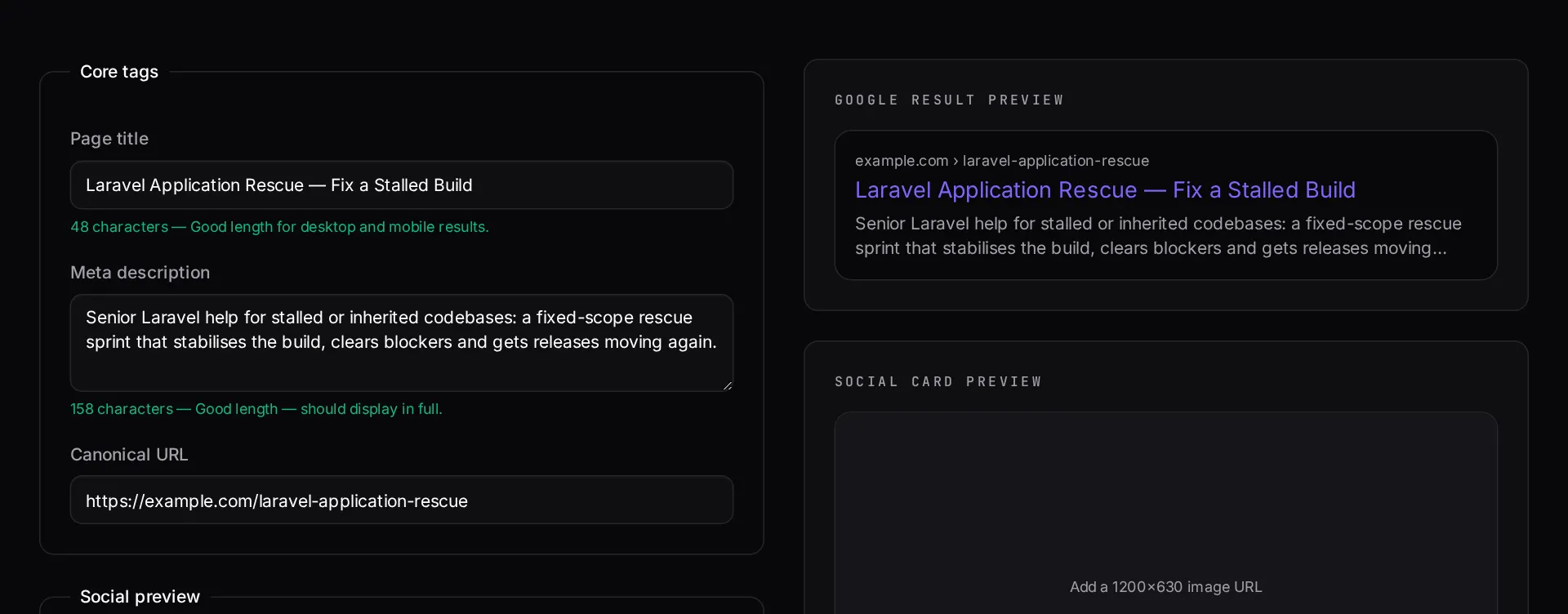
Example 1: A Laravel service page
Title kept under 60 characters, description under 155, absolute image URL.
`og:image` must be absolute — relative paths silently fail in every scraper. 1200x630 is still the safe ratio.
Generated head tags
<title>Laravel SaaS Development | Dev Loader</title>
<meta name="description" content="Founder-led Laravel SaaS builds: multi-tenancy, Stripe billing and Filament admin, shipped in 3–4 weeks." />
<link rel="canonical" href="https://devloader.com/laravel-saas-development" />

<meta property="og:type" content="website" />
<meta property="og:title" content="Laravel SaaS Development | Dev Loader" />
<meta property="og:description" content="Founder-led Laravel SaaS builds: multi-tenancy, Stripe billing and Filament admin." />
<meta property="og:url" content="https://devloader.com/laravel-saas-development" />
<meta property="og:image" content="https://devloader.com/og/laravel-saas.jpg" />

<meta name="twitter:card" content="summary_large_image" />
<meta name="twitter:title" content="Laravel SaaS Development | Dev Loader" />
<meta name="twitter:description" content="Founder-led Laravel SaaS builds: multi-tenancy, Stripe billing and Filament admin." />
<meta name="twitter:image" content="https://devloader.com/og/laravel-saas.jpg" />
How it works
- Enter your page title, description, URL and preview image.
- Watch the Google result and social card previews update as you type.
- Fix anything the length checker flags as too short or truncated.
- Copy the complete tag block straight into your page head.
Frequently asked questions
- How long should a title tag and meta description be?
- Aim for roughly 50-60 characters for titles and 140-160 for descriptions. Google truncates by pixel width rather than character count, so this tool warns you as you approach the limit instead of enforcing a hard cutoff.
- Do meta descriptions affect rankings?
- Not directly. They affect click-through rate, which is what actually earns you traffic from an existing position. Google also rewrites descriptions frequently, usually when yours does not match the query intent.
- What size should an Open Graph image be?
- 1200x630 pixels is the safe default for large summary cards across Facebook, LinkedIn and X. Keep important content away from the edges, since platforms crop differently, and always use an absolute HTTPS URL.
- Why is my social preview showing the old image?
- Social platforms cache previews aggressively. After changing tags, force a refresh in the platform's own link debugger — otherwise the old card can persist for days.
Pages not getting indexed?
Crawl quality problems are rarely about tags alone. A technical audit covers rendering, canonicals, sitemaps and internal linking together.
Related free tools
.htaccess redirect generator — Paste a list of old and new URLs and get clean 301 rules for Apache — plus the nginx equivalent, HTTPS and www canonicalisation, and trailing-slash handling.
URL slug generator — Turn any title into a clean, accent-free URL slug — with optional stop-word removal and a length cap — and see the matching Laravel `Str::slug()` call.
Website cost calculator — Work out what a website really costs in 2026 — from a one-page site to a multi-language marketing platform — with design, build, content and ongoing costs separated out.
All free Dev Loader tools
Every tool below runs entirely in your browser — no account, no upload and no limits. 25 tools in total.
- Software development cost calculator
- Website cost calculator
- App development cost calculator
- Freelance rate calculator
- Cron expression generator
- .htaccess redirect generator
- PHP formatter
- JSON to PHP array converter
- composer.json validator
- Laravel upgrade readiness scanner
- PHP version compatibility checker
- URL slug generator
- Unix timestamp converter
- Laravel .env generator
- PHP regex tester
- Laravel migration generator
- Laravel validation rule builder
- Laravel .gitignore generator
- Artisan command cheatsheet
- Carbon date format helper
- Composer dependency conflict decoder
- Laravel failed job decoder
- Laravel Cashier webhook diagnostic
- Laravel version and EOL risk checker
- Free tools hub