Carbon date format helper
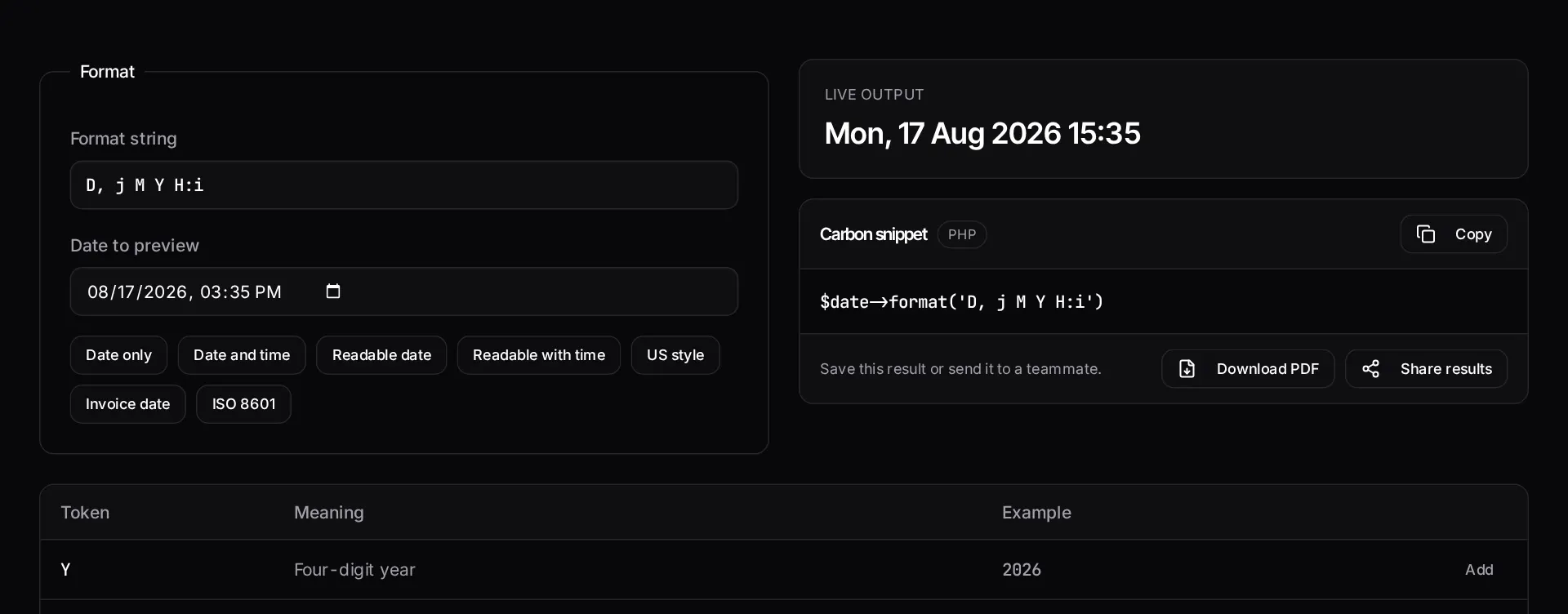
Build a PHP date format string visually, see it rendered live against a real date, and copy the Carbon call that produces it.
About the carbon date format helper
PHP date format characters are easy to confuse: the difference between a day-of-month, a day-of-year and an ISO day number is one letter. This helper builds the format string visually and renders it live against a real date, so you can see the output rather than guess it.
When the format is right, copy the Carbon call that produces it for use in a Blade template or a model cast.
When to use it
- You are formatting a date for display and want to see the result immediately.
- You are matching an existing output format in a report or export.
- You need the Carbon equivalent of a format string you already have.
- You are checking how a format behaves for single-digit days or twelve-hour clocks.
What it does not do
- It does not localise month and day names into other languages.
- It does not handle timezone conversion as part of formatting.
- Parsing an unknown incoming format is the opposite problem and not what this does.
How the result is produced
Format characters are applied to the date you choose and rendered live, with a reference list explaining each token. The Carbon snippet mirrors the format string exactly.
What to watch out for
Format tokens are easy to mix up and the mistakes are subtle rather than fatal. A lowercase token where an uppercase one was meant produces a plausible date that is simply wrong, and wrong dates in an invoice or a report are the kind of defect a customer finds before you do. Rendering the format against a real date is the fastest way to be sure.
Pick a test date that exposes ambiguity: a single-digit day, a month whose abbreviation differs from its number, and an afternoon hour. A format that looks correct against the fifteenth of a month at nine in the morning can still be wrong.
Keep display formatting out of your models and queries. Store the instant, format at render time, and your data stays usable when the presentation requirement changes — which it does, usually the week after launch.
Localisation deserves an early decision. If your application will ever show dates to people in another language or region, the format string is only half the answer — month names, weekday names and the day-month-year ordering all change. Deciding whether you need locale-aware formatting before you scatter format strings through templates saves rework, because retrofitting it means finding every place a date is rendered. If you only need one locale today, at least keep the formats in one place rather than inline everywhere.
Real inputs and the exact output
Every example below was run through this carbon date format helper and copied verbatim.
Example 1: Formatting an invoice date for a US audience
You need `August 17, 2026` in Blade and the ISO value in the `datetime` attribute.
Always render both: humans read `format('F j, Y')`, crawlers and screen readers read the ISO string in `<time datetime="…">`.
PHP / Blade
use Carbon\Carbon;

$date = Carbon::parse('2026-08-17 15:25:00', 'UTC');

$date->format('F j, Y');            // August 17, 2026
$date->toIso8601String();           // 2026-08-17T15:25:00+00:00
$date->diffForHumans();             // 3 hours ago
$date->setTimezone(config('app.timezone'))->format('g:i A T'); // 3:25 PM UTC
How it works
- Pick a preset or type your own format string.
- Watch the live preview update against the date you choose.
- Copy the Carbon snippet for your Blade template or model cast.
Frequently asked questions
- Is Carbon's format the same as PHP's date()?
- Yes — Carbon extends `DateTime`, so `format()` accepts exactly the same tokens as `date()`. Anything you build here works in plain PHP too.
- How do I include a literal letter in the format?
- Escape it with a backslash. `\a\t H:i` outputs "at 14:30" rather than interpreting the a and t as tokens.
- Should I format dates in the model or the view?
- Cast to a date in the model so you always have a Carbon instance, then format in the view or a dedicated presenter. Storing formatted strings in the database makes sorting and filtering painful later.
Want a real number instead of an estimate?
A fixed-price Laravel codebase and architecture audit gives you a written scope, a risk list and a delivery date before you commit to a build.
Related free tools
Unix timestamp converter — Convert Unix timestamps to human dates and back — ISO 8601, UTC, MySQL DATETIME, relative time and the Carbon call that produces it.
Cron expression generator — Build a crontab expression visually, read it back in plain English, see the next five run times — and get the matching Laravel scheduler code for the same schedule.
Laravel migration generator — A free Laravel migration generator and visual schema builder: design a table — columns, types, nullability, indexes, foreign keys — and get a valid migration class with the correct filename.
All free Dev Loader tools
Every tool below runs entirely in your browser — no account, no upload and no limits. 25 tools in total.
- Software development cost calculator
- Website cost calculator
- App development cost calculator
- Freelance rate calculator
- Cron expression generator
- Meta tag generator
- .htaccess redirect generator
- PHP formatter
- JSON to PHP array converter
- composer.json validator
- Laravel upgrade readiness scanner
- PHP version compatibility checker
- URL slug generator
- Unix timestamp converter
- Laravel .env generator
- PHP regex tester
- Laravel migration generator
- Laravel validation rule builder
- Laravel .gitignore generator
- Artisan command cheatsheet
- Composer dependency conflict decoder
- Laravel failed job decoder
- Laravel Cashier webhook diagnostic
- Laravel version and EOL risk checker
- Free tools hub