Cron expression generator
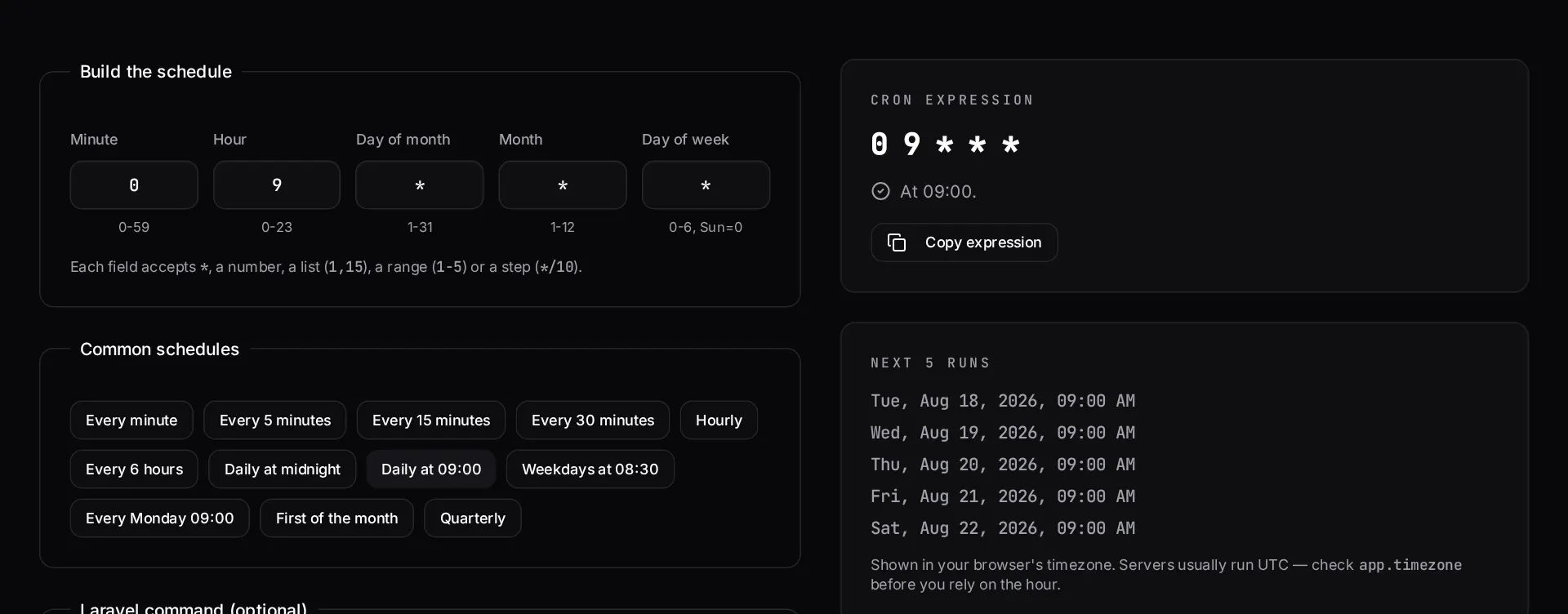
Build a crontab expression visually, read it back in plain English, see the next five run times — and get the matching Laravel scheduler code for the same schedule.
About the cron expression generator
Cron syntax is compact and unforgiving: one field in the wrong position turns a nightly job into one that runs every minute. This generator builds the expression field by field, translates it back into a plain-English sentence, and shows the next five run times so you can confirm the schedule before it ever reaches a server.
Because a lot of scheduled work in PHP applications lives in the Laravel scheduler rather than the crontab, the tool also emits the matching scheduler call for the same schedule.
When to use it
- You are adding a scheduled job and want to verify the timing before deploying it.
- You inherited a crontab and need to know what an existing line actually does.
- You need the Laravel scheduler equivalent of a crontab line, or vice versa.
- You want to check how a schedule behaves around month ends and weekends.
What it does not do
- It does not cover non-standard extensions such as seconds fields or vendor-specific macros.
- It cannot tell you whether your server's timezone matches the one you have in mind — check that separately.
- Overlapping-run protection and locking are application concerns, not schedule concerns.
How the result is produced
The expression is assembled from the five standard fields and parsed back with a scheduler that walks forward from the current time to compute the next occurrences, so the preview reflects real cron semantics including step and range syntax.
What to watch out for
Almost every cron incident comes from one of three things: a field in the wrong position, a step value that means something different from what the author intended, or a server timezone that is not the timezone the schedule was designed in. The first two are what the plain-English translation and the next-five-runs preview are for. The third is worth checking explicitly before you deploy anything that runs at a business-relevant hour.
Day-of-month and day-of-week interact in a way that surprises people: when both are restricted, standard cron treats them as an OR, not an AND. A schedule intended to mean 'the first Monday of the month' usually does not mean that at all. Reading the next occurrences is the quickest way to catch it.
For PHP applications, the crontab should usually contain exactly one entry that hands control to the framework scheduler, with individual job schedules defined in code where they can be reviewed and tested. That is why this tool emits both forms of the same schedule.
Real inputs and the exact output
Every example below was run through this cron expression generator and copied verbatim.
Example 1: Weekday-only nightly report at 02:30
A report job that must not run at the weekend and must survive a server in UTC.
Day-of-week and day-of-month are ORed, not ANDed. `30 2 1 * 1-5` runs on the 1st *and* every weekday — a classic duplicate-email bug.
Expression
30 2 * * 1-5

Next runs (UTC)
  Mon 18 Aug 2026 02:30
  Tue 19 Aug 2026 02:30
  Wed 20 Aug 2026 02:30
  Thu 21 Aug 2026 02:30
  Fri 22 Aug 2026 02:30
Example 2: The same schedule in a Laravel scheduler
Drop the expression straight into `routes/console.php` (Laravel 11+).
`withoutOverlapping()` and `onOneServer()` matter more than the expression once you run more than one app server.
app/Console — Laravel 11
use Illuminate\Support\Facades\Schedule;

Schedule::command('reports:daily')
    ->cron('30 2 * * 1-5')
    ->timezone('UTC')
    ->withoutOverlapping(30)
    ->onOneServer()
    ->emailOutputOnFailure('ops@example.com');
How it works
- Pick a preset or set each field — minute, hour, day of month, month, day of week.
- Read the plain-English translation to confirm the schedule means what you think.
- Check the next five run times before you deploy it.
- Copy the crontab line, or switch to the Laravel tab for the equivalent scheduler code.
Frequently asked questions
- What do the five cron fields mean?
- In order: minute (0-59), hour (0-23), day of month (1-31), month (1-12), and day of week (0-6, where 0 is Sunday). An asterisk means every value, `*/5` means every fifth value, `1,15` means those specific values, and `1-5` means an inclusive range.
- How do I run a cron job every 5 minutes?
- Use `*/5 * * * *`. That fires at minute 0, 5, 10 and so on, every hour of every day. In Laravel the same schedule is `->everyFiveMinutes()`.
- What happens if both day of month and day of week are set?
- Standard cron treats them as OR, not AND. `0 0 1 * 1` runs on the first of the month *and* every Monday — a classic source of jobs firing far more often than intended.
- How does the Laravel scheduler relate to cron?
- Laravel needs exactly one system cron entry — `* * * * * php artisan schedule:run` — and then manages individual job timing in PHP. Use the Laravel tab here to get the `->cron()` or fluent equivalent for the expression you built.
Scheduled jobs silently failing in production?
Queue backlogs, overlapping schedules and jobs that stopped running months ago are the most common findings in a Laravel rescue sprint.
Related free tools
.htaccess redirect generator — Paste a list of old and new URLs and get clean 301 rules for Apache — plus the nginx equivalent, HTTPS and www canonicalisation, and trailing-slash handling.
All free Dev Loader tools
Every tool below runs entirely in your browser — no account, no upload and no limits. 25 tools in total.
- Software development cost calculator
- Website cost calculator
- App development cost calculator
- Freelance rate calculator
- Meta tag generator
- .htaccess redirect generator
- PHP formatter
- JSON to PHP array converter
- composer.json validator
- Laravel upgrade readiness scanner
- PHP version compatibility checker
- URL slug generator
- Unix timestamp converter
- Laravel .env generator
- PHP regex tester
- Laravel migration generator
- Laravel validation rule builder
- Laravel .gitignore generator
- Artisan command cheatsheet
- Carbon date format helper
- Composer dependency conflict decoder
- Laravel failed job decoder
- Laravel Cashier webhook diagnostic
- Laravel version and EOL risk checker
- Free tools hub