URL slug generator
Turn any title into a clean, accent-free URL slug — with optional stop-word removal and a length cap — and see the matching Laravel `Str::slug()` call.
About the url slug generator
URL slugs should be lowercase, accent-free, hyphenated and short enough to read in a search result. Doing that by hand across a content set produces inconsistencies, and inconsistencies become duplicate URLs.
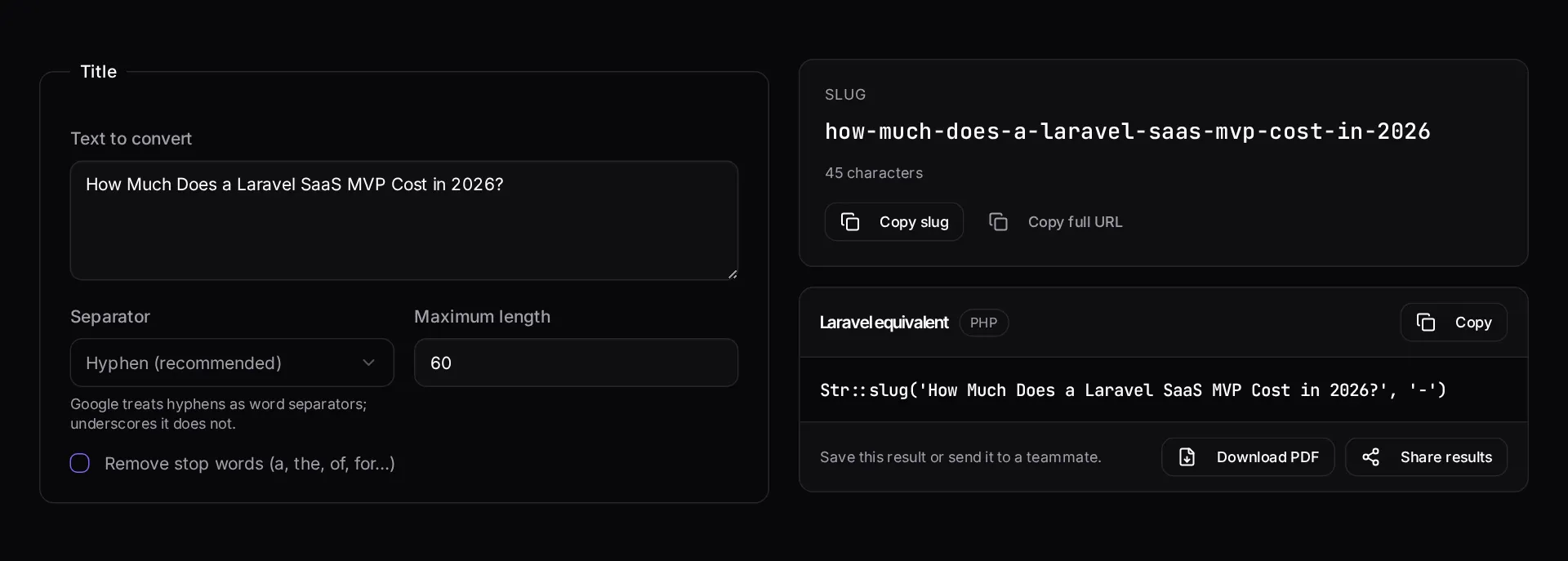
Paste a title and this tool produces the slug, with optional stop-word removal and a length cap, plus the equivalent framework helper call so your application generates the same value the tool just showed you.
When to use it
- You are naming a new page or post and want a clean, consistent URL.
- You are normalising an existing content set before a migration.
- You need slugs from titles containing accents, punctuation or non-Latin characters.
- You want your code to produce identical slugs to the ones you planned.
What it does not do
- It does not check whether the slug is already in use on your site.
- It does not set up redirects from an old slug — change a live URL and you need one.
- It cannot judge whether the slug targets the right keyword.
How the result is produced
Characters are transliterated to ASCII, lowercased, stripped of punctuation and joined with your chosen separator. Stop-word removal and the length cap are applied after transliteration so words are never cut mid-token.
What to watch out for
Slugs are a small decision with a long tail. Once a URL is published and linked, changing it costs you a redirect at best and a ranking dip at worst, so it is worth getting the shape right before publishing rather than tidying it later. Short, descriptive, hyphen-separated and free of dates you will regret is the durable pattern.
Stop-word removal is a judgement call rather than a rule. Removing them shortens the URL, but a slug that reads as a phrase is easier for a human to trust in a search result, and readability in the SERP is worth more than three saved characters.
Make sure your application generates slugs the same way this tool does. When the planning spreadsheet and the framework helper disagree, you end up with two URLs for the same content and internal links pointing at the wrong one.
If you are renaming existing URLs, plan the redirects in the same sitting. Every changed slug needs a permanent redirect from the old path, every internal link pointing at the old path should be updated to point at the new one directly rather than relying on the redirect, and your sitemap should list only the new URLs. Skipping the internal-link step is the usual reason a migration leaves hundreds of avoidable redirect hops behind, which is slow for visitors and wasteful of the crawl budget you would rather spend on new pages.
Real inputs and the exact output
Every example below was run through this url slug generator and copied verbatim.
Example 1: A blog headline with accents, an ampersand and an em dash
The CMS would otherwise produce a slug with percent-encoded bytes.
Transliterate rather than strip: `café` should become `cafe`, not `caf`. Keep the year if the article is dated — it earns clicks in the SERP.
Title
Café & Résumé — 10 Laravel Tips (2026 Edition!)Slug
cafe-resume-10-laravel-tips-2026-editionExample 2: The equivalent in Laravel
Match the tool's behaviour in your model.
Store the slug once on create and never regenerate it on edit — changing a live slug costs you the ranking unless you also ship a 301.
PHP
use Illuminate\Support\Str;

$slug = Str::slug('Café & Résumé — 10 Laravel Tips (2026 Edition!)');
// "cafe-resume-10-laravel-tips-2026-edition"
How it works
- Type or paste the title you want a slug for.
- Pick the separator, whether to strip stop words, and a maximum length.
- Copy the slug, or copy the equivalent Laravel helper call for your code.
Frequently asked questions
- What makes a good URL slug for SEO?
- Short, lowercase, hyphen-separated, and containing the words a person would actually search for. Avoid dates and IDs unless the URL genuinely needs them, and never change a slug after it has been indexed without adding a 301 redirect.
- Should I remove stop words like 'the' and 'of'?
- Only when the slug is unwieldy. Removing them shortens the URL, but it can also make it read strangely. Readability for humans matters more than shaving three characters.
- How are accents and non-Latin characters handled?
- Accented Latin characters are transliterated to their base letters, so "Café Münchén" becomes "cafe-munchen". Scripts with no Latin equivalent are stripped, which is why the tool also shows the raw result before you commit to it.
Want a real number instead of an estimate?
A fixed-price Laravel codebase and architecture audit gives you a written scope, a risk list and a delivery date before you commit to a build.
Related free tools
Meta tag generator — Generate title, description, canonical, Open Graph and Twitter card tags with live Google and social previews, plus a length check that flags truncation before Google does.
.htaccess redirect generator — Paste a list of old and new URLs and get clean 301 rules for Apache — plus the nginx equivalent, HTTPS and www canonicalisation, and trailing-slash handling.
Unix timestamp converter — Convert Unix timestamps to human dates and back — ISO 8601, UTC, MySQL DATETIME, relative time and the Carbon call that produces it.
All free Dev Loader tools
Every tool below runs entirely in your browser — no account, no upload and no limits. 25 tools in total.
- Software development cost calculator
- Website cost calculator
- App development cost calculator
- Freelance rate calculator
- Cron expression generator
- Meta tag generator
- .htaccess redirect generator
- PHP formatter
- JSON to PHP array converter
- composer.json validator
- Laravel upgrade readiness scanner
- PHP version compatibility checker
- Unix timestamp converter
- Laravel .env generator
- PHP regex tester
- Laravel migration generator
- Laravel validation rule builder
- Laravel .gitignore generator
- Artisan command cheatsheet
- Carbon date format helper
- Composer dependency conflict decoder
- Laravel failed job decoder
- Laravel Cashier webhook diagnostic
- Laravel version and EOL risk checker
- Free tools hub