Laravel .env file generator
Build a correct .env for local, staging or production — with a freshly generated APP_KEY and the driver settings that match your stack.
About the laravel .env generator
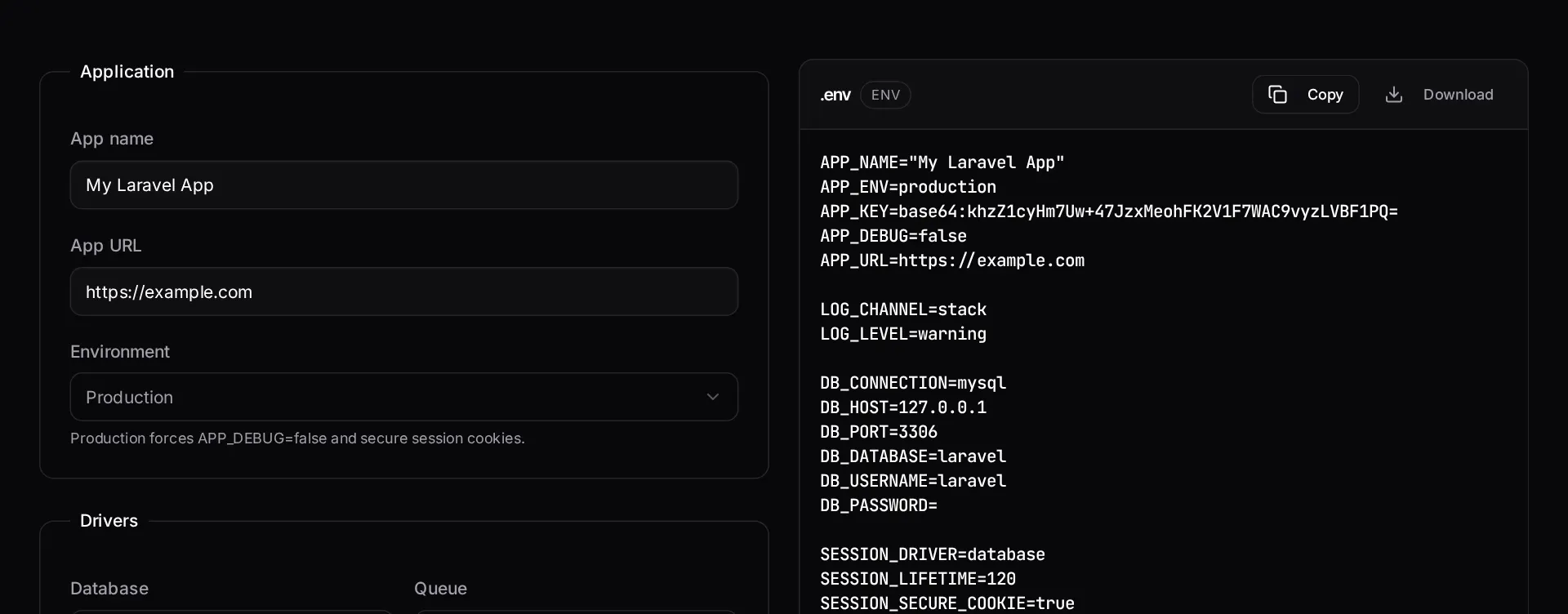
Environment files drift. Local has a driver production does not, staging is missing a mail setting, and someone commits a key by accident. This generator builds a coherent .env for a chosen environment, with the driver settings that actually match the stack you selected.
A fresh application key is generated in your browser each time. Nothing is transmitted, so the key you copy is one only you have seen.
When to use it
- You are bootstrapping a new application and want a correct baseline file.
- You are creating a staging environment and want it to mirror production's driver choices.
- You need a new application key without a working local CLI.
- You are documenting the environment variables a project requires.
What it does not do
- It does not store or manage secrets — copy the output straight into your own secret store.
- It does not know your credentials; connection values are placeholders you replace.
- Package-specific variables from your dependencies are not included.
How the result is produced
The file is assembled from the framework defaults for the selected environment, then the database, cache, queue, session and mail blocks are filled in for the drivers you chose. Debug and log settings follow the environment, so a production file is not shipped with debugging enabled.
What to watch out for
Environment files are configuration, not secrets management, and treating them as the latter is where teams get into trouble. The file should never enter version control, and production values belong in whatever secret store your host provides. Generating a clean baseline makes it easy to keep the committed example file and the real one in step.
Driver choices should match between staging and production or staging stops being a rehearsal. A queue running synchronously in staging and on a real worker in production will hide every job-serialisation bug until the day it matters.
Check the debug and log settings in whatever you generate for production. A production application with debugging enabled will happily print stack traces, environment values and query contents to anyone who triggers an error.
Keep a committed example file listing every variable the application needs, with placeholder values, and update it in the same commit that introduces a new variable. That file is the only documentation most projects have of their configuration surface, and it is what lets a new contributor get running without asking anyone. When a deployment fails because a variable is missing in one environment, the fix is not only to add it, but to add it to the example file so the next environment is not missing it too.
Real inputs and the exact output
Every example below was run through this laravel .env generator and copied verbatim.
Example 1: Production .env for a Postgres + Redis + S3 stack
A Laravel 11 SaaS deployed behind a load balancer.
`APP_DEBUG=true` in production is still the most common Laravel data leak — it renders environment variables in the stack trace.
.env
APP_NAME="Acme SaaS"
APP_ENV=production
APP_KEY=base64:REPLACE_WITH_php_artisan_key_generate
APP_DEBUG=false
APP_URL=https://app.example.com

LOG_CHANNEL=stack
LOG_LEVEL=warning

DB_CONNECTION=pgsql
DB_HOST=127.0.0.1
DB_PORT=5432
DB_DATABASE=acme
DB_USERNAME=acme
DB_PASSWORD=

SESSION_DRIVER=redis
SESSION_SECURE_COOKIE=true
CACHE_STORE=redis
QUEUE_CONNECTION=redis
REDIS_HOST=127.0.0.1
REDIS_PORT=6379

FILESYSTEM_DISK=s3
AWS_BUCKET=acme-prod
AWS_USE_PATH_STYLE_ENDPOINT=false

MAIL_MAILER=smtp
MAIL_HOST=smtp.postmarkapp.com
MAIL_PORT=587
MAIL_ENCRYPTION=tls
How it works
- Set your app name, URL and target environment.
- Choose the database, cache, queue, session and mail drivers you are using.
- Copy or download the .env — a new APP_KEY is generated in your browser each time.
Frequently asked questions
- Is the generated APP_KEY safe to use?
- It is created with the browser's `crypto.getRandomValues()` — the same cryptographically secure source used for real key generation — and never leaves your machine. If you prefer, run `php artisan key:generate` instead; both produce an equivalent 32-byte base64 key.
- What changes between local and production .env values?
- `APP_DEBUG` must be false in production, log level should be warning or above, sessions should use secure cookies, and cache, queue and session drivers should move off `file`/`sync` onto database or Redis so multiple workers stay consistent.
- Should .env ever be committed to git?
- Never. Commit `.env.example` with empty values as documentation, and keep the real file out of version control — the Laravel .gitignore generator on this site includes the correct rules.
Deploys unreliable or configuration drifting between environments?
A fixed-price Laravel audit maps your environments, config and deployment path, then hands you a prioritised list of what to fix first.
Related free tools
Laravel .gitignore generator — Generate a .gitignore that keeps vendor, build output, environment files and tooling caches out of your Laravel repository.
JSON to PHP array converter — Paste any JSON and get a clean, indented PHP array — short or long syntax — ready to drop straight into a config file, seeder or fixture.
Artisan command cheatsheet — A searchable reference of the Artisan commands you actually use — what each one does, when to reach for it, and the flags worth knowing.
All free Dev Loader tools
Every tool below runs entirely in your browser — no account, no upload and no limits. 25 tools in total.
- Software development cost calculator
- Website cost calculator
- App development cost calculator
- Freelance rate calculator
- Cron expression generator
- Meta tag generator
- .htaccess redirect generator
- PHP formatter
- JSON to PHP array converter
- composer.json validator
- Laravel upgrade readiness scanner
- PHP version compatibility checker
- URL slug generator
- Unix timestamp converter
- PHP regex tester
- Laravel migration generator
- Laravel validation rule builder
- Laravel .gitignore generator
- Artisan command cheatsheet
- Carbon date format helper
- Composer dependency conflict decoder
- Laravel failed job decoder
- Laravel Cashier webhook diagnostic
- Laravel version and EOL risk checker
- Free tools hub