Software development cost calculator
Estimate what a custom software build costs before you talk to anyone — pick your features, team model and region, and get a low-to-high range with the phase breakdown behind it.
About the software development cost calculator
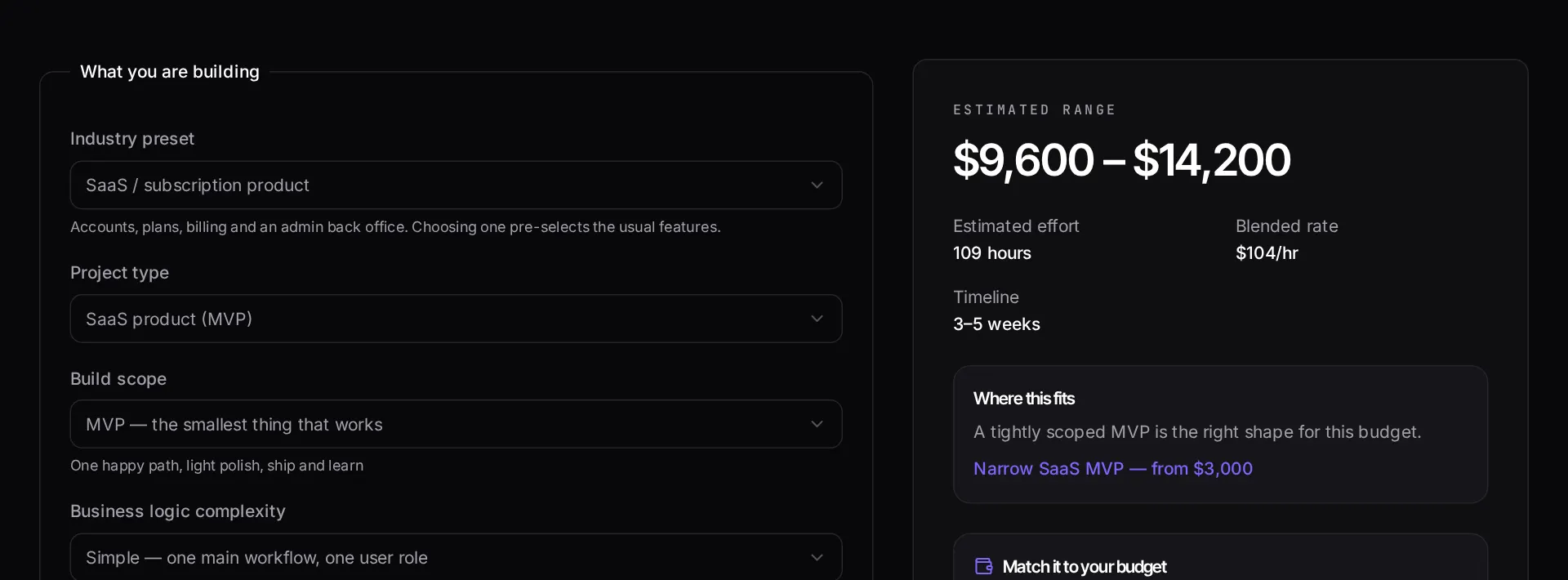
Custom software quotes vary wildly because agencies price the same brief with different assumptions about scope, seniority and location. This calculator makes those assumptions explicit: you choose the product type, the feature set, the team model and the delivery region, and it shows the range that combination implies rather than a single reassuring number.
The output is a low-to-high band plus a phase table, so you can see how much of the budget goes to discovery, design, build, QA and launch. That breakdown is usually more useful than the total, because it tells you which phase to cut or stage if the number comes back higher than your budget.
When to use it
- You need a defensible budget figure for an internal approval or a board conversation before any vendor is involved.
- You have received quotes that differ by a factor of three and want to understand which assumptions are driving the gap.
- You are deciding whether to build version one in-house, with a freelancer, or with a studio.
- You want to test how much a specific feature — payments, multi-tenancy, an admin panel — moves the total before you commit to it.
What it does not do
- It is not a quote. No calculator can price a codebase it has not read.
- It does not price rescue or takeover work on an existing application, where the cost driver is the state of the code, not the feature list.
- It excludes licensing, paid infrastructure and third-party API fees, which are billed separately in almost every engagement.
How the result is produced
Each product type carries a baseline hour range for a working version one. Features add hours on top, complexity multiplies them, and the team model and region set the blended hourly rate applied to the result. The low and high ends of the band reflect a smooth build versus one with the usual amount of rework and scope discovery.
The phase split uses proportions typical of fixed-scope delivery: discovery and design at the front, build in the middle, and a QA and launch tail that teams routinely underestimate.
What to watch out for
The reason two studios quote the same brief at $18,000 and $60,000 is almost never dishonesty. It is that one priced a working version one for a single market with a narrow feature set, and the other priced a platform with an admin console, role-based permissions, an audit trail and a migration path from your existing spreadsheets. Both are legitimate readings of a vague brief. Making the assumptions visible — which is what this calculator forces you to do — is how you turn incomparable quotes into comparable ones.
Use the phase table as a negotiation tool. If the total is above budget, the cheapest thing to cut is rarely a headline feature; it is usually scope you did not realise you had bought, such as bespoke design on internal screens, three integrations where one would do for launch, or a reporting module that could be a CSV export in version one. Staging that work into a second phase, once real users exist, is generally better value than shaving hours off engineering estimates.
Treat the low end of the range as the price of a build where requirements hold still and the high end as the price of one where they do not. Which one you land on depends more on decision-making speed on your side than on the development team.
Real inputs and the exact output
Every example below was run through this software development cost calculator and copied verbatim.
Example 1: Internal ops tool for a 12-person logistics company
Admin CRUD, role-based access, CSV import and a dashboard. No public signup, no billing, no mobile app.
Integrations and permission models move the number far more than screen count. Two screens with a payment integration usually cost more than eight static CRUD pages.
Inputs
Project type:      Internal business tool
Screens:           14
Integrations:      2 (accounting API, SMTP)
Auth:              Roles + permissions
Complexity:        Medium
Delivery:          Founder-led studio
Estimate
Range:        $6,400 – $9,800
Discovery     ~10%   $640 – $980
Build         ~65%   $4,160 – $6,370
QA + fixes    ~15%   $960 – $1,470
Launch        ~10%   $640 – $980
Timeline:     3 – 4 weeks
Example 2: Same scope, quoted as a fixed-price agency retainer
Switching the delivery model to a multi-person agency with an account manager raises the same scope by roughly 2.5x.
Use the delivery-model toggle before you compare vendor quotes. Most price gaps are overhead, not engineering hours.
Estimate
Range:        $16,000 – $24,500
Timeline:     6 – 9 weeks
Delta vs founder-led: +150%
How it works
- Choose the type of software you are building and how complex the core workflow is.
- Tick the features and third-party integrations you actually need in version one.
- Pick a team model and delivery region — these move the hourly rate more than anything else.
- Read the low-to-high range, then use the phase table to see where the hours go.
Frequently asked questions
- How accurate is a software development cost calculator?
- It gives you a planning range, not a quote. The calculator multiplies estimated hours per feature by a regional blended rate, then applies a complexity factor and a contingency band. Real quotes move once someone reads your existing code, your data model and your compliance requirements.
- Why is the range so wide?
- Because scope wording hides most of the cost. "User accounts" can mean email and password in two days, or SSO, roles, audit logs and SCIM provisioning in six weeks. The wide band is honest; a single number at this stage would not be.
- What actually drives software cost up?
- In order: number of distinct user roles, third-party integrations, anything involving payments or compliance, real-time features, and migrating data out of an existing system. Design polish and page count matter far less than founders expect.
- Can I reduce the estimate without cutting the product?
- Usually yes. Narrow version one to a single user role and a single workflow that produces value, use off-the-shelf services for auth and billing rather than building them, and defer the admin panel to a framework-generated one such as Filament.
Want a real number instead of an estimate?
A fixed-price Laravel codebase and architecture audit gives you a written scope, a risk list and a delivery date before you commit to a build.
Related free tools
Website cost calculator — Work out what a website really costs in 2026 — from a one-page site to a multi-language marketing platform — with design, build, content and ongoing costs separated out.
App development cost calculator — Estimate iOS, Android and cross-platform app costs — including the backend, store submission and the first year of maintenance most calculators leave out.
Freelance rate calculator — Work backwards from the income you actually want. Enter your target take-home, real billable hours, overhead, tax and time off — get the hourly and day rate that gets you there.
All free Dev Loader tools
Every tool below runs entirely in your browser — no account, no upload and no limits. 25 tools in total.
- Website cost calculator
- App development cost calculator
- Freelance rate calculator
- Cron expression generator
- Meta tag generator
- .htaccess redirect generator
- PHP formatter
- JSON to PHP array converter
- composer.json validator
- Laravel upgrade readiness scanner
- PHP version compatibility checker
- URL slug generator
- Unix timestamp converter
- Laravel .env generator
- PHP regex tester
- Laravel migration generator
- Laravel validation rule builder
- Laravel .gitignore generator
- Artisan command cheatsheet
- Carbon date format helper
- Composer dependency conflict decoder
- Laravel failed job decoder
- Laravel Cashier webhook diagnostic
- Laravel version and EOL risk checker
- Free tools hub