Unix timestamp converter
Convert Unix timestamps to human dates and back — ISO 8601, UTC, MySQL DATETIME, relative time and the Carbon call that produces it.
About the unix timestamp converter
Debugging anything time-related means holding several representations of the same instant in your head at once: a Unix timestamp in a log, an ISO 8601 string in an API response, a MySQL DATETIME in a table and a human sentence in a bug report.
Paste any one of them and this converter shows all of them side by side, with the Carbon call that produces the format you need.
When to use it
- You are reading a log with raw epoch timestamps and need the wall-clock time.
- You are reconciling an API timestamp against a database column.
- You need a MySQL DATETIME value for a quick query.
- You are unsure whether a value is in seconds or milliseconds.
What it does not do
- It does not convert between arbitrary named timezones for a full schedule — it shows UTC and your local zone.
- It does not handle leap-second precision.
- Bulk conversion of a log file is a job for a script.
How the result is produced
The input is detected as seconds, milliseconds or a parseable date string, normalised to an instant, then rendered in each format. Relative time is computed against the current moment in your browser.
What to watch out for
The most common timestamp bug is a units mismatch: a value in milliseconds being read as seconds, which puts the date somewhere around fifty thousand years in the future, or the reverse, which pins everything to the first minutes of 1970. Both are instantly recognisable once you have seen them, and both are caught by pasting the raw value here.
The second most common is timezone drift, where a value is stored in UTC and rendered in local time in one place and not another. Seeing UTC and your local representation side by side makes the offset explicit instead of implied.
Store timestamps in UTC and convert at the edge of your application, when rendering for a person. Every architecture that stores local times eventually meets daylight saving and loses.
It is also worth knowing how your database column type behaves. A column that stores a date and time without a timezone will happily accept values written in two different zones by two different services, and nothing will complain until a report is wrong. Columns that store an absolute instant remove the ambiguity entirely. When you are debugging a discrepancy, comparing the raw stored value against the rendered value here — rather than comparing two rendered values — is usually what identifies which layer introduced the offset.
Real inputs and the exact output
Every example below was run through this unix timestamp converter and copied verbatim.
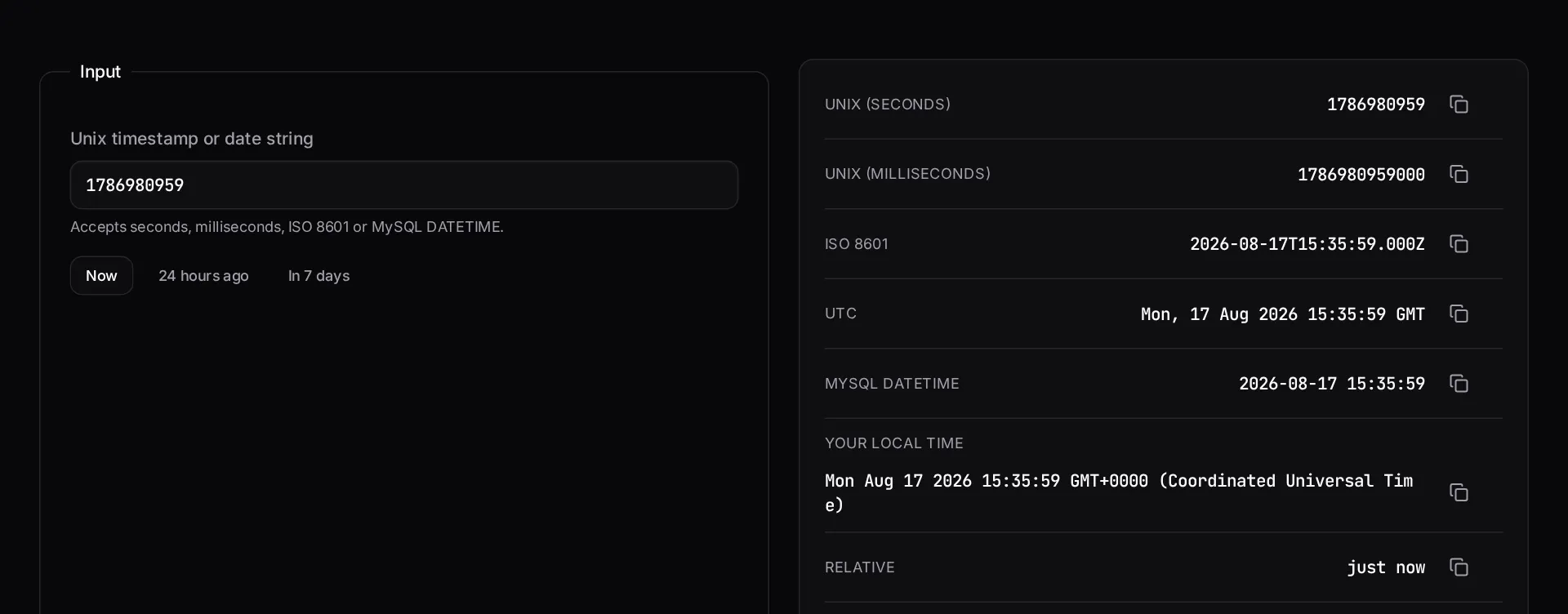
Example 1: Debugging a token that expired 'in the past'
A JWT `exp` claim looked wrong because the value was in seconds, not milliseconds.
JavaScript uses milliseconds, PHP and JWT use seconds. A 1000x error puts you in 1970 or in the year 58,000 — both easy to spot here.
Input
1786000000Converted
UTC:        Sat, 05 Sep 2026 21:46:40 GMT
ISO 8601:   2026-09-05T21:46:40Z
Local:      2026-09-06 03:46:40 (UTC+6)
Relative:   in 2 weeks
Milliseconds: 1786000000000
How it works
- Paste a Unix timestamp in seconds or milliseconds, or a date string.
- Read every common representation of that instant side by side.
- Copy the MySQL DATETIME value or the Carbon snippet you need.
Frequently asked questions
- Seconds or milliseconds — how does the tool tell?
- By length. Ten digits or fewer is treated as seconds (the Unix epoch standard), eleven to fourteen digits as milliseconds, which is what JavaScript's `Date.now()` returns.
- Why does my database time differ from what I see here?
- Almost always a timezone mismatch. Store timestamps in UTC and convert only at display time. In Laravel that means keeping `APP_TIMEZONE=UTC` and calling `->setTimezone()` in the view layer.
- What is the 2038 problem?
- Systems storing timestamps as signed 32-bit integers overflow on 19 January 2038. Use 64-bit integers or native DATETIME/TIMESTAMP columns; MySQL's TIMESTAMP type is affected, DATETIME is not.
Want a real number instead of an estimate?
A fixed-price Laravel codebase and architecture audit gives you a written scope, a risk list and a delivery date before you commit to a build.
Related free tools
Carbon date format helper — Build a PHP date format string visually, see it rendered live against a real date, and copy the Carbon call that produces it.
Cron expression generator — Build a crontab expression visually, read it back in plain English, see the next five run times — and get the matching Laravel scheduler code for the same schedule.
URL slug generator — Turn any title into a clean, accent-free URL slug — with optional stop-word removal and a length cap — and see the matching Laravel `Str::slug()` call.
All free Dev Loader tools
Every tool below runs entirely in your browser — no account, no upload and no limits. 25 tools in total.
- Software development cost calculator
- Website cost calculator
- App development cost calculator
- Freelance rate calculator
- Cron expression generator
- Meta tag generator
- .htaccess redirect generator
- PHP formatter
- JSON to PHP array converter
- composer.json validator
- Laravel upgrade readiness scanner
- PHP version compatibility checker
- URL slug generator
- Laravel .env generator
- PHP regex tester
- Laravel migration generator
- Laravel validation rule builder
- Laravel .gitignore generator
- Artisan command cheatsheet
- Carbon date format helper
- Composer dependency conflict decoder
- Laravel failed job decoder
- Laravel Cashier webhook diagnostic
- Laravel version and EOL risk checker
- Free tools hub