JSON to PHP array converter
Paste any JSON and get a clean, indented PHP array — short or long syntax — ready to drop straight into a config file, seeder or fixture.
About the json to php array converter
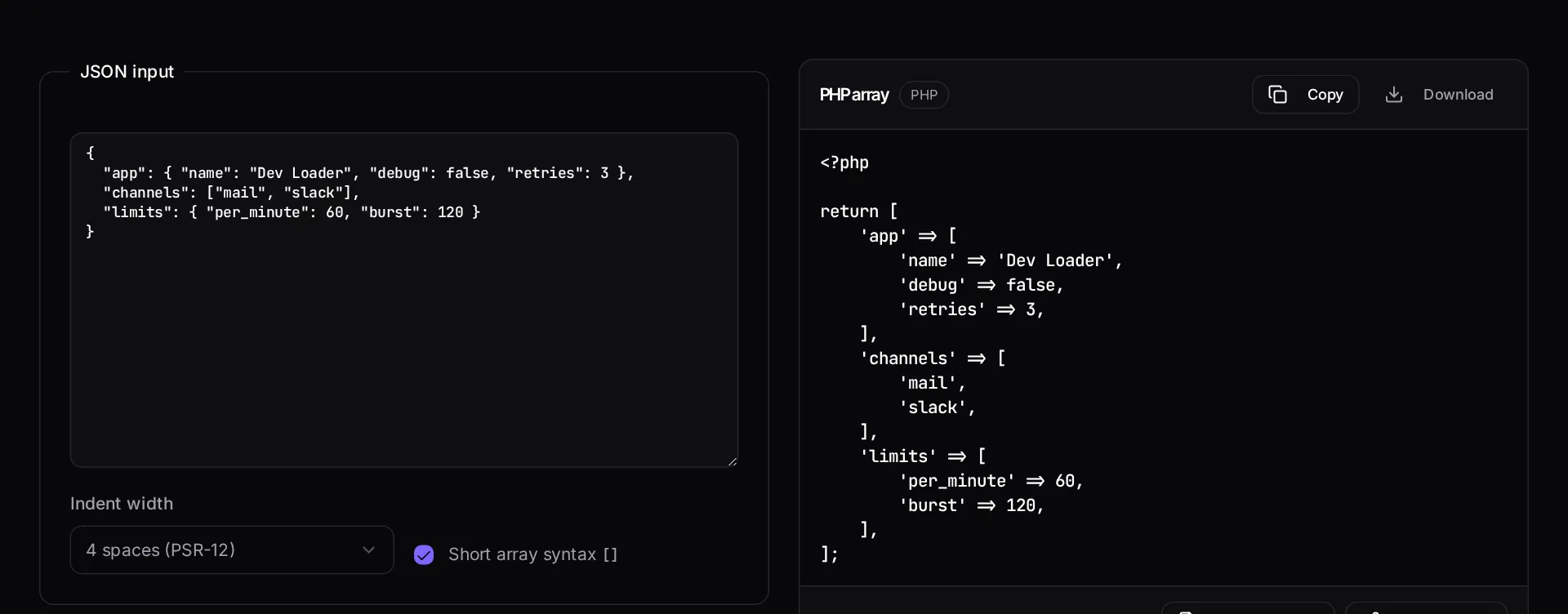
Turning an API response or a config payload into a PHP array by hand is tedious and error-prone, especially once nesting goes three levels deep. Paste the JSON, get a properly indented PHP array you can drop into a config file, a seeder or a test fixture.
You can pick short array syntax or the legacy form, which matters when you are contributing to an older codebase with a fixed style.
When to use it
- You are converting a sample API payload into a fixture for tests.
- You are moving configuration out of JSON into a PHP config file.
- You are writing a seeder from real exported data.
- You need nested data formatted correctly without counting brackets yourself.
What it does not do
- It does not generate classes, DTOs or typed value objects from the JSON.
- It does not validate the JSON against a schema.
- Very large payloads belong in a file read at runtime, not inlined in source.
How the result is produced
The JSON is parsed and re-emitted as PHP with your chosen syntax and indent width. Keys are quoted, numeric arrays are kept as lists, and nesting is indented rather than flattened.
What to watch out for
Hand-converting nested JSON is where fixtures acquire subtle errors — a numeric key that should have stayed a string, an object flattened into a list, a trailing comma in a version of PHP that does not allow it. Generating the array removes that entire class of mistake.
Choose your syntax to match the codebase, not your preference. Contributing short-array syntax to a project that uses the long form everywhere makes the diff about style instead of substance, and reviewers notice.
If the payload is large or changes often, keep it as a JSON file read at runtime rather than inlining it in source. Inlined data is invisible to the tooling that would otherwise validate it, and it makes the diff of a data change look like a code change.
A related habit worth adopting is keeping fixtures small and intentional. It is tempting to paste an entire production API response into a test because it is realistic, but a four-hundred-line fixture makes the test unreadable and couples it to fields the code under test never touches. Convert the payload, then trim it to the fields that matter, and add a comment naming where the original sample came from. Future readers will need that provenance far more than they will need the extra fields, and the test will keep passing when the upstream API adds something new.
Real inputs and the exact output
Every example below was run through this json to php array converter and copied verbatim.
Example 1: Turning a Stripe webhook payload into a test fixture
You need the same shape in a PHPUnit test without hitting the network.
Numbers stay numeric and booleans stay boolean — pasting a JSON string into `json_decode` at runtime hides type errors that a static fixture surfaces immediately.
JSON
{
  "id": "evt_1P2x",
  "type": "checkout.session.completed",
  "data": { "object": { "amount_total": 29900, "currency": "usd", "paid": true } }
}
PHP
<?php

return [
    'id' => 'evt_1P2x',
    'type' => 'checkout.session.completed',
    'data' => [
        'object' => [
            'amount_total' => 29900,
            'currency' => 'usd',
            'paid' => true,
        ],
    ],
];
How it works
- Paste or type your JSON into the input box.
- Choose short array syntax or the legacy array() form, and your indent width.
- Copy the generated PHP, or download it as a config file.
Frequently asked questions
- Does this handle nested JSON objects and arrays?
- Yes. Objects become string-keyed PHP arrays and JSON arrays become list arrays, nested to any depth with consistent indentation. Booleans, nulls and numbers are converted to their PHP literals rather than quoted strings.
- Can I paste the output straight into a Laravel config file?
- That is exactly the output format. The tool wraps the array in `<?php return [...];` so you can save it as `config/something.php` and read it with `config('something.key')` immediately.
- Is my JSON uploaded anywhere?
- No. Parsing and conversion happen in your browser with JavaScript, so you can safely convert payloads that contain internal field names or sample customer data.
Want a real number instead of an estimate?
A fixed-price Laravel codebase and architecture audit gives you a written scope, a risk list and a delivery date before you commit to a build.
Related free tools
PHP formatter — Reindent messy PHP to a consistent PSR-12-style layout in the browser, or minify it back down. Nothing is uploaded — the formatting runs entirely on your machine.
composer.json validator — Check a composer.json for invalid JSON, malformed package names, unbounded version constraints and broken PSR-4 autoload rules before Composer refuses to install.
Laravel .env generator — Build a correct .env for local, staging or production — with a freshly generated APP_KEY and the driver settings that match your stack.
All free Dev Loader tools
Every tool below runs entirely in your browser — no account, no upload and no limits. 25 tools in total.
- Software development cost calculator
- Website cost calculator
- App development cost calculator
- Freelance rate calculator
- Cron expression generator
- Meta tag generator
- .htaccess redirect generator
- PHP formatter
- composer.json validator
- Laravel upgrade readiness scanner
- PHP version compatibility checker
- URL slug generator
- Unix timestamp converter
- Laravel .env generator
- PHP regex tester
- Laravel migration generator
- Laravel validation rule builder
- Laravel .gitignore generator
- Artisan command cheatsheet
- Carbon date format helper
- Composer dependency conflict decoder
- Laravel failed job decoder
- Laravel Cashier webhook diagnostic
- Laravel version and EOL risk checker
- Free tools hub