Freelance hourly rate calculator
Work backwards from the income you actually want. Enter your target take-home, real billable hours, overhead, tax and time off — get the hourly and day rate that gets you there.
About the freelance rate calculator
Most freelancers set a rate by looking at what other people charge, then wonder why the year ends short. This calculator works the other way round: you start from the take-home income you want and it derives the hourly, day and week rate that actually produces it.
The number that surprises people is billable utilisation. Sales, admin, invoicing and unpaid discovery are real hours that no client pays for, and dividing income by all your working hours instead of your billable ones understates your rate badly.
When to use it
- You are going independent and need a first rate that is not guesswork.
- You are raising rates and want to justify the increase with arithmetic rather than instinct.
- You are deciding whether a long retainer at a lower rate still clears your target.
- You want to see what taking six weeks off actually costs per billable hour.
What it does not do
- It is not tax advice. The effective tax rate is a figure you supply, not one it calculates for your jurisdiction.
- It does not model value-based or fixed-fee pricing, where the hourly rate is an internal check rather than the price.
- It assumes you are selling your own time, not a team's.
How the result is produced
Target take-home is grossed up by your effective tax rate, business overhead is added, and the total is divided by your genuinely billable hours — weeks worked, hours per week and the billable share of those hours. Day and week rates follow from the hourly figure.
A recommended quoting rate adds a buffer on top, because the calculated minimum is a break-even number, not a healthy one.
What to watch out for
The mistake that costs freelancers the most is dividing their target income by the hours they work rather than the hours they bill. If you work forty hours a week but only twenty-four are billable — because the rest is sales, proposals, invoicing, admin, and unpaid scoping calls — then your effective rate needs to be well above what a naive calculation suggests. Utilisation is the single most sensitive input in this calculator, and it is the one people are most optimistic about.
Overhead is the second underestimate. Software subscriptions, hardware amortisation, insurance, accountancy, professional development, coworking and the occasional conference add up to a real annual number that has to be recovered inside your rate before you take anything home.
The output is a floor, not a price. Below it you are subsidising the client. Above it you are pricing on value, positioning and demand — which is where the interesting money is, but which only becomes visible once you know what your floor actually is.
Real inputs and the exact output
Every example below was run through this freelance rate calculator and copied verbatim.
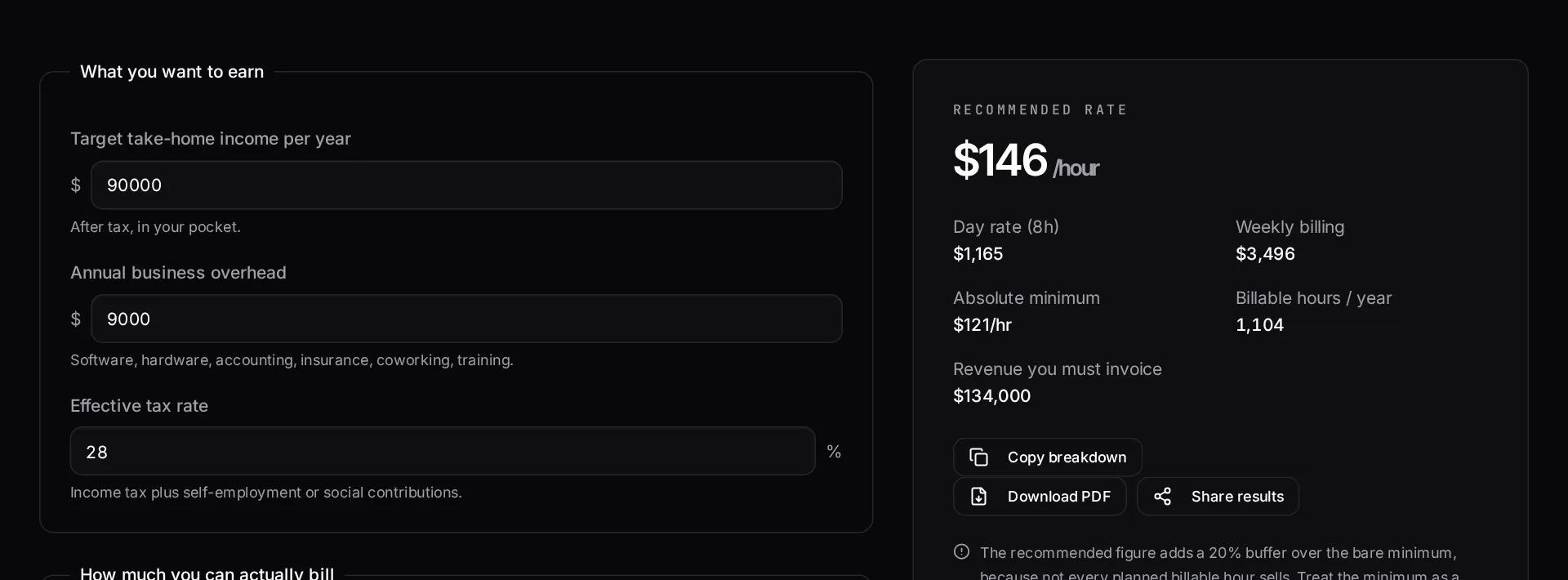
Example 1: Solo Laravel developer targeting $90k take-home
Working 46 weeks a year, 3.5 genuinely billable days a week, with software, hardware, insurance and tax to cover.
The gap between calendar days and billable days is where most freelancers underprice. Five working days rarely means five invoiced days.
Inputs
Target take-home:   $90,000
Weeks worked:       46
Billable days/week: 3.5
Business expenses:  $7,200 / yr
Tax + contributions: 28%
Required rates
Billable days / yr:  161
Gross needed:        $132,200
Day rate:            $821
Hourly (8h):         $103
Hourly (6h focus):   $137
How it works
- Enter the take-home income you want for the year.
- Set your realistic billable hours — weeks worked, hours per week, and the share of time that is actually billable.
- Add annual business overhead and your effective tax rate.
- Read your minimum hourly, day and week rate, plus the buffer-adjusted rate we recommend quoting.
Frequently asked questions
- How do I calculate my freelance hourly rate?
- Take your target income, add overhead, divide by your genuinely billable hours, then gross up for tax. The mistake almost everyone makes is assuming a 40-hour billable week. Sales, admin, invoicing and learning are unpaid, so most sustainable freelancers bill somewhere between half and two-thirds of their working hours.
- What counts as overhead?
- Software subscriptions, hardware amortisation, accounting, insurance, coworking or home-office costs, professional development, and any subcontractor spend. If the business pays for it, it belongs here.
- Should I charge hourly or fixed price?
- Hourly protects you on unclear scope; fixed price rewards you for being fast. Use this calculator to find your floor rate either way — a fixed price is only safe when you can convert it back into an hourly figure above that floor.
- Why is the recommended rate higher than the minimum?
- The minimum assumes every planned billable hour actually sells. It never does. The recommended figure adds a buffer for gaps between contracts, late payers and scope you absorb without charging.
Quoting a Laravel project?
See how we structure fixed-scope Laravel work — written deliverable lists, fixed prices and dates agreed before any money changes hands.
Related free tools
Software development cost calculator — Estimate what a custom software build costs before you talk to anyone — pick your features, team model and region, and get a low-to-high range with the phase breakdown behind it.
App development cost calculator — Estimate iOS, Android and cross-platform app costs — including the backend, store submission and the first year of maintenance most calculators leave out.
Website cost calculator — Work out what a website really costs in 2026 — from a one-page site to a multi-language marketing platform — with design, build, content and ongoing costs separated out.
All free Dev Loader tools
Every tool below runs entirely in your browser — no account, no upload and no limits. 25 tools in total.
- Software development cost calculator
- Website cost calculator
- App development cost calculator
- Cron expression generator
- Meta tag generator
- .htaccess redirect generator
- PHP formatter
- JSON to PHP array converter
- composer.json validator
- Laravel upgrade readiness scanner
- PHP version compatibility checker
- URL slug generator
- Unix timestamp converter
- Laravel .env generator
- PHP regex tester
- Laravel migration generator
- Laravel validation rule builder
- Laravel .gitignore generator
- Artisan command cheatsheet
- Carbon date format helper
- Composer dependency conflict decoder
- Laravel failed job decoder
- Laravel Cashier webhook diagnostic
- Laravel version and EOL risk checker
- Free tools hub