PHP formatter and beautifier
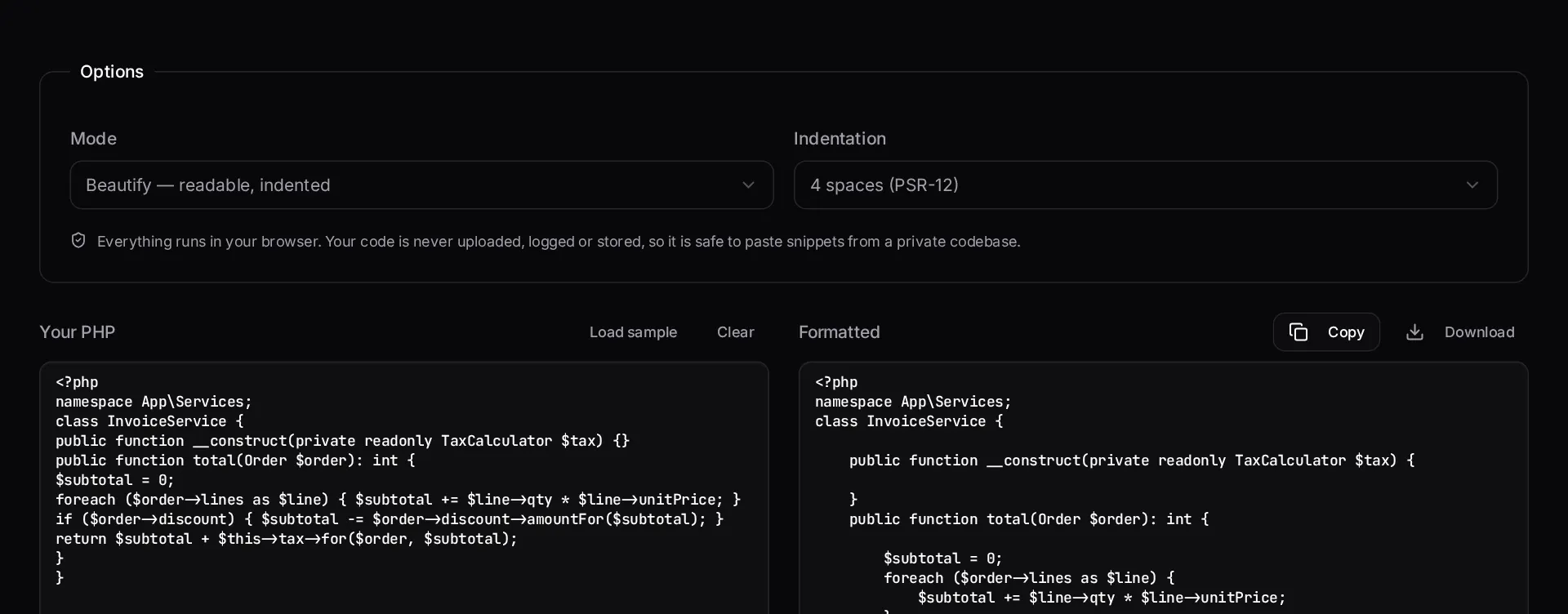
Reindent messy PHP to a consistent PSR-12-style layout in the browser, or minify it back down. Nothing is uploaded — the formatting runs entirely on your machine.
About the php formatter
Legacy PHP arrives with mixed indentation, inconsistent brace placement and lines that scroll sideways forever. This formatter reindents it to a consistent PSR-12-style layout so you can read it before you decide what to do with it, and can minify back down when you need compact output.
Everything runs in your browser. The code you paste is never uploaded, which matters when the file you are trying to read belongs to a client.
When to use it
- You are reviewing an unfamiliar file and need it readable before you can reason about it.
- You are pasting a snippet into documentation or a ticket and want it consistently indented.
- Your editor is not set up for the project and you need one file formatted quickly.
- You want a quick before-and-after view of how much of a file is formatting noise.
What it does not do
- It is not a replacement for running a real fixer in CI on the whole repository.
- It does not rewrite code style beyond layout — no import sorting, no modernisation.
- Extremely large files are better handled by a local tool than a browser.
How the result is produced
Formatting is a token-aware reindent: block depth drives indentation, string and comment contents are left untouched, and your chosen indent width and tab preference are applied uniformly.
What to watch out for
Formatting is not cosmetic when you are reading unfamiliar code. Consistent indentation is what lets you see block structure at a glance, and block structure is what tells you where the logic actually branches. Reindenting a file before reviewing it routinely reveals nesting depth that was invisible in the original layout.
Keep the browser tool for one-off files and put a real fixer in your pipeline for the repository. A formatter that runs in CI, with the ruleset committed alongside the code, means style stops being a review topic. A formatter you have to remember to run does not.
Because this runs entirely locally, it is safe for code you are not allowed to upload. That is deliberate: the files most in need of reformatting are usually the ones under someone else's confidentiality terms.
Formatting also has a review benefit that is easy to overlook: once a codebase is consistently laid out, every diff becomes meaningful. In a project where whitespace drifts file by file, a one-line behavioural change can arrive inside a two-hundred-line diff, and reviewers stop reading carefully. Normalising layout once, then enforcing it automatically, turns code review back into a conversation about behaviour. If you are inheriting a project and plan to reformat everything, do it in a single commit that changes nothing else, and tell your team the commit hash so they can exclude it when tracing history.
Real inputs and the exact output
Every example below was run through this php formatter and copied verbatim.
Example 1: A service class pasted out of a legacy controller
Everything on one line per method, no consistent indentation.
Use this for snippets. For a repository, run Laravel Pint in CI — `vendor/bin/pint --test` fails the build on style drift.
Input
<?php
class InvoiceService {
public function total(Order $order): int {
$subtotal = 0;
foreach ($order->lines as $line) { $subtotal += $line->qty * $line->unitPrice; }
return $subtotal;
}
}
Beautified (4 spaces, PSR-12)
<?php

class InvoiceService
{
    public function total(Order $order): int
    {
        $subtotal = 0;

        foreach ($order->lines as $line) {
            $subtotal += $line->qty * $line->unitPrice;
        }

        return $subtotal;
    }
}
How it works
- Paste your PHP into the input panel.
- Choose indentation width and whether you want tabs or spaces.
- Switch between beautify and minify depending on what you need.
- Copy or download the formatted result.
Frequently asked questions
- What is PSR-12?
- PSR-12 is the PHP-FIG coding style standard that most modern PHP projects, including Laravel, follow. It specifies four-space indentation, brace placement, import ordering and spacing rules so that code from different authors reads consistently.
- Is this the same as PHP CS Fixer or Laravel Pint?
- No. Those run PHP itself and apply the full rule set, including import sorting and complex spacing rules. This browser tool handles indentation, brace layout and whitespace — enough to make pasted code readable. For a real project, run Pint in CI.
- Is my code sent to a server?
- No. Formatting happens entirely in your browser with JavaScript. Nothing is uploaded, logged or stored, which is why the tool also works offline once the page has loaded.
- Will formatting change how my code behaves?
- It should not — only whitespace and line breaks change. Content inside strings and heredocs is preserved. As always, diff the result before committing it.
Inherited a PHP codebase nobody documented?
A Laravel application rescue sprint stabilises deploys, fixes the failing path and hands you written documentation of what you actually own.
Related free tools
JSON to PHP array converter — Paste any JSON and get a clean, indented PHP array — short or long syntax — ready to drop straight into a config file, seeder or fixture.
composer.json validator — Check a composer.json for invalid JSON, malformed package names, unbounded version constraints and broken PSR-4 autoload rules before Composer refuses to install.
PHP version compatibility checker — Paste PHP and see the minimum version it needs, plus every removed or deprecated function that will break on a modern runtime.
All free Dev Loader tools
Every tool below runs entirely in your browser — no account, no upload and no limits. 25 tools in total.
- Software development cost calculator
- Website cost calculator
- App development cost calculator
- Freelance rate calculator
- Cron expression generator
- Meta tag generator
- .htaccess redirect generator
- JSON to PHP array converter
- composer.json validator
- Laravel upgrade readiness scanner
- PHP version compatibility checker
- URL slug generator
- Unix timestamp converter
- Laravel .env generator
- PHP regex tester
- Laravel migration generator
- Laravel validation rule builder
- Laravel .gitignore generator
- Artisan command cheatsheet
- Carbon date format helper
- Composer dependency conflict decoder
- Laravel failed job decoder
- Laravel Cashier webhook diagnostic
- Laravel version and EOL risk checker
- Free tools hub