PHP regex tester
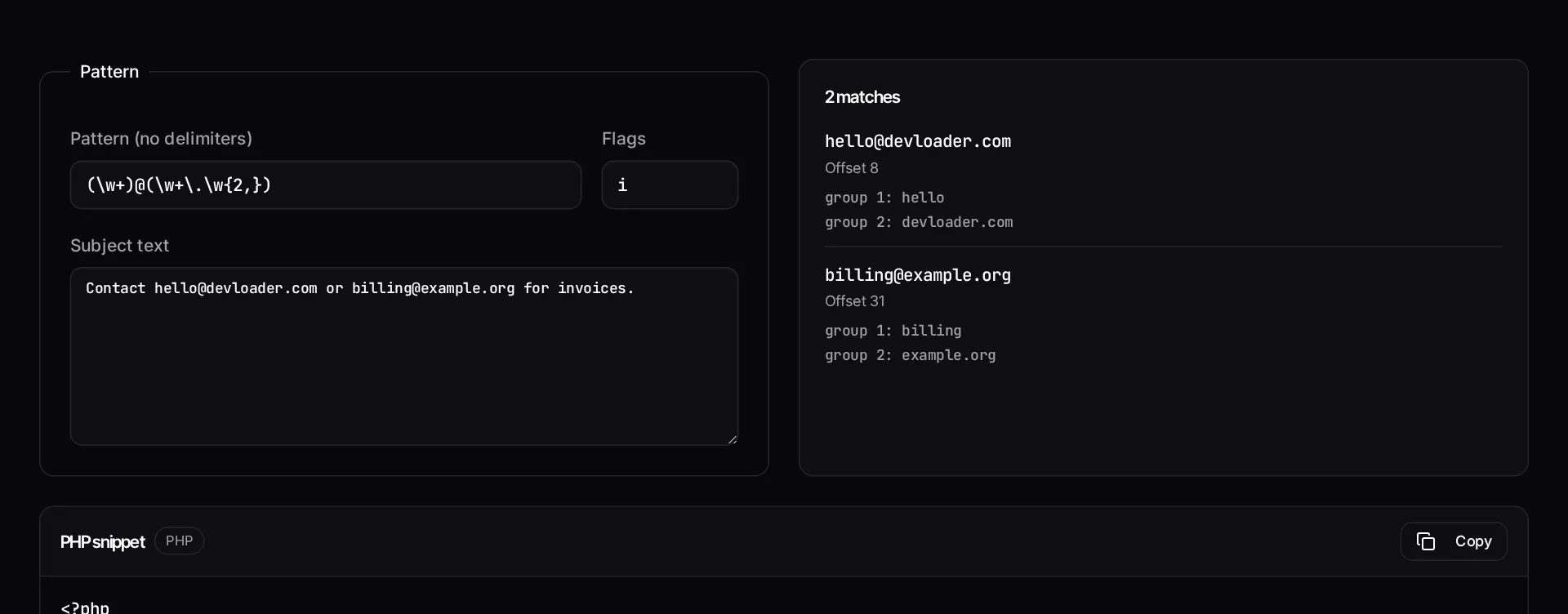
Test a pattern against sample text, see every match and capture group live, and copy the finished `preg_match_all()` call.
About the php regex tester
Regular expressions in PHP have their own delimiter and flag conventions, so a pattern copied from a generic tester often needs adjusting before it works in preg functions. This tester runs your pattern the PHP way and shows every match and capture group as you type.
When the pattern is right, copy the finished call rather than rebuilding it around the pattern by hand.
When to use it
- You are writing a validation or parsing pattern and want live feedback.
- You are debugging a pattern that matches in one tool but not in PHP.
- You need to see exactly which capture group holds which value.
- You are testing a pattern against several sample inputs before shipping it.
What it does not do
- It does not detect catastrophic backtracking on adversarial input.
- It does not convert patterns between regex flavours.
- Validating user input in production needs more than a pattern — use framework validation.
How the result is produced
Your pattern and flags are wrapped in delimiters and executed against the subject text, with matches and numbered or named capture groups listed in order of occurrence.
What to watch out for
Patterns copied from generic testers frequently fail in PHP because of delimiters and escaping. A forward slash inside a pattern delimited by forward slashes has to be escaped, and flags that exist in one flavour do not exist in another. Testing in the same engine you will deploy on removes an entire round of confusion.
Name your capture groups once a pattern has more than two of them. Positional indices are fine while you are writing the expression and unreadable three months later, when someone has added a group in the middle and shifted every number after it.
Regular expressions are a poor fit for structured formats. Parsing HTML, deeply nested JSON or arbitrary email addresses with a pattern produces something that passes your samples and fails on real input. Use a parser or framework validation for those and keep patterns for genuinely regular text.
Once a pattern is working, write a test for it with the inputs you tried here, including the ones that should not match. Patterns are among the easiest things in a codebase to break with a well-intentioned tweak, because a small change to a character class can widen the match in ways nobody notices until bad data is stored. A handful of assertions covering the accepted and rejected samples costs a few minutes and makes the expression safe to modify later.
Real inputs and the exact output
Every example below was run through this php regex tester and copied verbatim.
Example 1: Extracting a version from a Composer constraint
You need the major version from strings like `^11.9` or `~10.4.2`.
PHP returns both named and numeric keys for named groups. Iterating `$m` naively double-counts every capture.
Pattern + subject
Pattern: /^[\^~]?(?<major>\d+)\.(?<minor>\d+)/
Subject: ^11.9
preg_match result
preg_match('/^[\^~]?(?<major>\d+)\.(?<minor>\d+)/', '^11.9', $m);

$m = [
    0       => '11.9',
    'major' => '11',
    1       => '11',
    'minor' => '9',
    2       => '9',
];
How it works
- Enter your pattern without delimiters, and any flags you need.
- Paste the subject text you want to match against.
- Review the matches and capture groups, then copy the PHP snippet.
Frequently asked questions
- Do I include the delimiters in the pattern?
- No — type the pattern only, and the tool adds the `/` delimiters when it generates the PHP snippet, escaping any forward slashes inside your pattern for you.
- Is this identical to PCRE in PHP?
- It runs the JavaScript regex engine, which shares most syntax with PCRE. Lookbehind, named groups and Unicode property escapes work in both. Recursive patterns and possessive quantifiers are PCRE-only, so verify those in PHP before shipping.
- Which flags should I use?
- `i` for case-insensitive, `m` so `^` and `$` match line boundaries, `s` so `.` matches newlines, and `u` for Unicode. In PHP the same letters go after the closing delimiter.
Want a real number instead of an estimate?
A fixed-price Laravel codebase and architecture audit gives you a written scope, a risk list and a delivery date before you commit to a build.
Related free tools
PHP formatter — Reindent messy PHP to a consistent PSR-12-style layout in the browser, or minify it back down. Nothing is uploaded — the formatting runs entirely on your machine.
URL slug generator — Turn any title into a clean, accent-free URL slug — with optional stop-word removal and a length cap — and see the matching Laravel `Str::slug()` call.
Laravel validation rule builder — Pick fields and field types and get a complete FormRequest class with array-syntax validation rules you can paste straight into a Laravel app.
All free Dev Loader tools
Every tool below runs entirely in your browser — no account, no upload and no limits. 25 tools in total.
- Software development cost calculator
- Website cost calculator
- App development cost calculator
- Freelance rate calculator
- Cron expression generator
- Meta tag generator
- .htaccess redirect generator
- PHP formatter
- JSON to PHP array converter
- composer.json validator
- Laravel upgrade readiness scanner
- PHP version compatibility checker
- URL slug generator
- Unix timestamp converter
- Laravel .env generator
- Laravel migration generator
- Laravel validation rule builder
- Laravel .gitignore generator
- Artisan command cheatsheet
- Carbon date format helper
- Composer dependency conflict decoder
- Laravel failed job decoder
- Laravel Cashier webhook diagnostic
- Laravel version and EOL risk checker
- Free tools hub