App development cost calculator
Estimate iOS, Android and cross-platform app costs — including the backend, store submission and the first year of maintenance most calculators leave out.
About the app development cost calculator
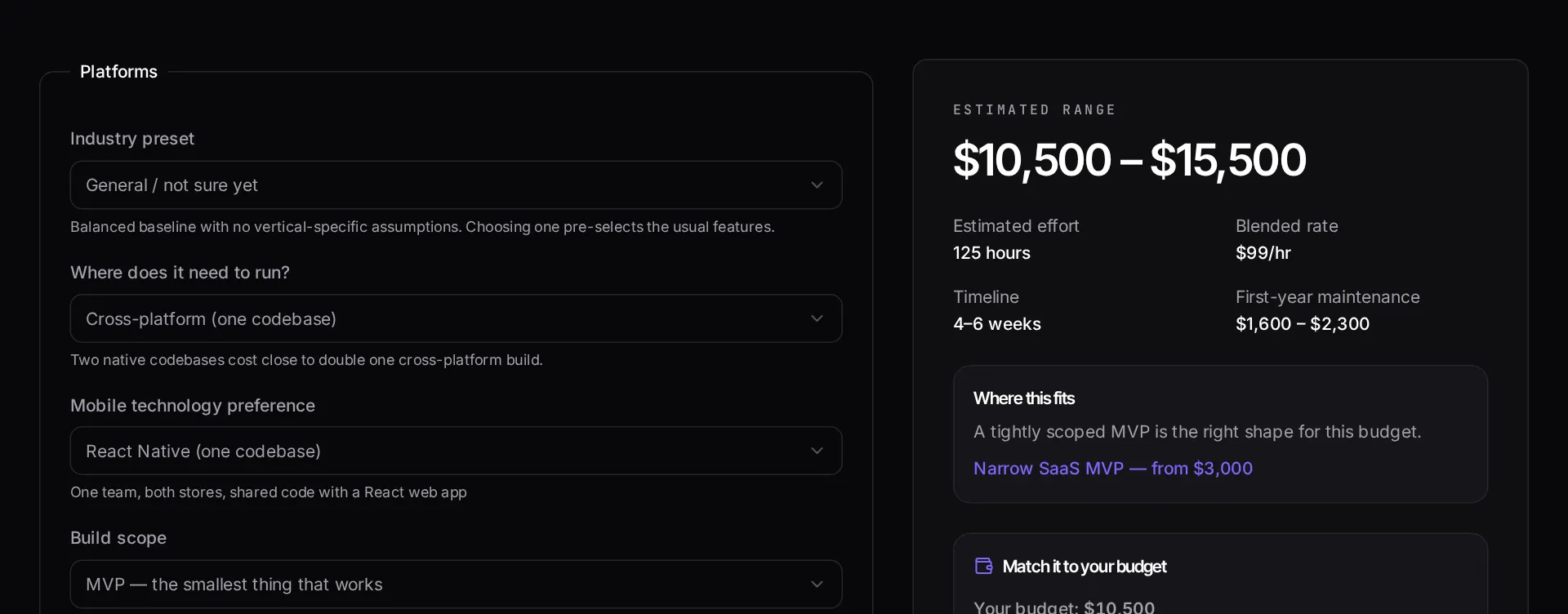
Mobile app budgets fail most often because the app itself is only part of the bill. There is a backend to build, an admin surface for support staff, store review to survive, and a first year of OS updates and bug fixes to fund. This calculator keeps all four visible.
Choosing native iOS, native Android or one cross-platform codebase is the single largest lever, so it is the first question the tool asks.
When to use it
- You are deciding between native and cross-platform and want the cost implication of each, not just the technical argument.
- You need to budget the backend and admin panel alongside the app rather than discovering them mid-project.
- You want an honest first-year maintenance line to include in your plan.
- You are staging a launch and need to know what the minimum shippable feature set costs.
What it does not do
- Games, AR and anything with heavy real-time graphics fall outside the model.
- It does not include app store fees, paid user acquisition or device testing labs.
- It cannot price integrations with proprietary enterprise systems sight unseen.
How the result is produced
A platform baseline covers project setup, navigation, state handling, build pipelines and store submission. Feature blocks — accounts, payments, chat, offline sync, push — add hours on top, and a backend or admin panel is costed as its own line rather than folded into the app.
First-year maintenance is estimated as a percentage of build cost, which is how OS releases, dependency upgrades and post-launch defect work usually behave.
What to watch out for
The native-versus-cross-platform decision is usually presented as a technical argument and settled as a budget one. One cross-platform codebase is meaningfully cheaper than two native ones for the large majority of business applications — forms, lists, accounts, payments, notifications — and the gap only closes when the app depends heavily on platform-specific hardware, background behaviour or graphics performance.
The line most first-time app budgets miss is the backend. An app that stores anything, authenticates anyone or sends a notification needs a server, a database, an API and somewhere for your support team to look things up. That admin surface is a small web application in its own right, and pretending it is part of the app is how a project runs out of money at eighty percent complete.
Budget the first year after launch, not only the launch. Operating system releases arrive annually and break things, store policies change, and the defects that matter are the ones real users find in week two. A maintenance allowance is not a contingency fund; it is a running cost.
Real inputs and the exact output
Every example below was run through this app development cost calculator and copied verbatim.
Example 1: Cross-platform delivery-tracking app
iOS + Android from one React Native codebase, push notifications, map view, Laravel API backend.
Realtime location is the expensive line item, not the screen count: it drags in sockets, background permissions and battery tuning on both platforms.
Inputs
Platforms:    iOS + Android (shared codebase)
Screens:      11
Auth:         Email + social
Realtime:     Yes (driver location)
Backend:      Custom Laravel API
Payments:     No
Estimate
Range:            $11,000 – $17,500
Mobile client     $6,600 – $10,500
API + backend     $3,300 – $5,300
Store submission    $500 – $900 (one-off)
Timeline:         6 – 9 weeks
How it works
- Select your platforms — native iOS, native Android, or one cross-platform codebase.
- Choose the features that define the app, from accounts and payments to offline sync.
- Say whether you need a backend and admin panel built alongside the app.
- Read the build range, the estimated timeline and the first-year maintenance line.
Frequently asked questions
- How much does it cost to build an app?
- A focused single-platform app with accounts and one core workflow starts in the low five figures. Add a second native platform, payments, offline sync or real-time features and it rises quickly, because each one multiplies both build and test effort.
- Is cross-platform cheaper than native?
- For most business apps, yes — typically a single codebase costs meaningfully less than two native ones for equivalent scope. Native still wins when you depend heavily on platform-specific hardware, background processing or the newest OS APIs.
- Does the estimate include the backend?
- Only if you tick it. Founders routinely budget for the app and forget the API, database, admin panel and push infrastructure behind it, which is frequently a comparable amount of work.
- What does app maintenance cost per year?
- Budget a meaningful percentage of the build cost annually. That covers OS version updates, dependency and security patches, store policy changes and small fixes. Apps that skip this stop working within a couple of OS releases.
Want a real number instead of an estimate?
A fixed-price Laravel codebase and architecture audit gives you a written scope, a risk list and a delivery date before you commit to a build.
Related free tools
Software development cost calculator — Estimate what a custom software build costs before you talk to anyone — pick your features, team model and region, and get a low-to-high range with the phase breakdown behind it.
Website cost calculator — Work out what a website really costs in 2026 — from a one-page site to a multi-language marketing platform — with design, build, content and ongoing costs separated out.
Freelance rate calculator — Work backwards from the income you actually want. Enter your target take-home, real billable hours, overhead, tax and time off — get the hourly and day rate that gets you there.
All free Dev Loader tools
Every tool below runs entirely in your browser — no account, no upload and no limits. 25 tools in total.
- Software development cost calculator
- Website cost calculator
- Freelance rate calculator
- Cron expression generator
- Meta tag generator
- .htaccess redirect generator
- PHP formatter
- JSON to PHP array converter
- composer.json validator
- Laravel upgrade readiness scanner
- PHP version compatibility checker
- URL slug generator
- Unix timestamp converter
- Laravel .env generator
- PHP regex tester
- Laravel migration generator
- Laravel validation rule builder
- Laravel .gitignore generator
- Artisan command cheatsheet
- Carbon date format helper
- Composer dependency conflict decoder
- Laravel failed job decoder
- Laravel Cashier webhook diagnostic
- Laravel version and EOL risk checker
- Free tools hub