Deploying Laravel in 2026: VPS vs Forge vs Vapor vs Docker
A practical Laravel deployment guide — compare Forge, Vapor, plain VPS, and Docker/Kubernetes, with zero-downtime deploys and rollbacks.
TL;DR
- 0–50 USD/mo, small team, up to 100k users: Plain VPS + FrankenPHP + GitHub Actions.
- 100–500 USD/mo, multiple sites, prefer UI: Laravel Forge.
- Serverless preferred, spiky traffic: Laravel Vapor.
- Multi-service platform, k8s already in-house: Docker + Kubernetes.
Option A — VPS (Hetzner/DO) + FrankenPHP
The cheapest, most controllable option in 2026. A single Hetzner CX22 (EUR 4.51/mo) handles a real SaaS. For zero-downtime, use a releases/<sha> folder and swap a current symlink.

Option B — Laravel Forge
Point Forge at a 5–30 USD DO/Vultr/Hetzner droplet, click through TLS, workers, scheduler, and DB. Best trade-off for solo devs and small agencies.
Option C — Laravel Vapor
Serverless on AWS Lambda. Pay-per-request, near-infinite scale, ~40 USD/mo minimum.
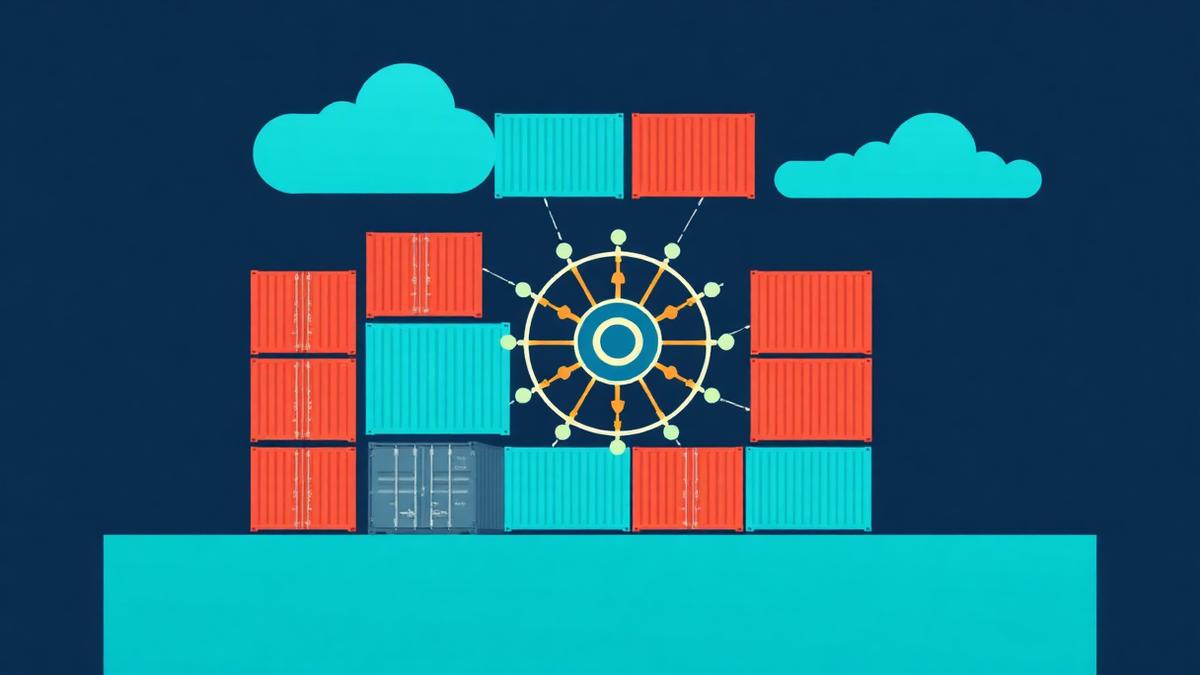
Option D — Docker + Kubernetes
Only pick this if you already run k8s.
FROM dunglas/frankenphp:1-php8.3
COPY . /app
RUN composer install --no-dev -o && php artisan optimize
Zero-downtime checklist
- Migrations must be backward-compatible.
queue:restartafter each deploy.- Health check hits
/up. - Keep the previous 3 releases on disk for instant rollback.
FAQ
Do I need Nginx if I use FrankenPHP? No.
Envoyer or Forge? Envoyer for zero-downtime, Forge for provisioning.
Can I deploy Laravel to Vercel? Not natively — but Railway, Fly.io, or Render work.
Key takeaways
- Deploying Laravel in 2026 offers diverse options, from VPS to serverless.
- FrankenPHP simplifies PHP deployments without Nginx.
- Laravel Forge excels for small teams seeking managed provisioning.
- Laravel Vapor handles spiky traffic with serverless AWS Lambda.
- Docker and Kubernetes are for advanced, multi-service architectures.
- Zero-downtime deployments require careful migration and rollback strategies.
Choosing the Right Laravel Deployment Strategy in 2026
Deploying Laravel in 2026 involves a critical decision process, as the right strategy significantly impacts performance, cost, and developer productivity. The optimal choice depends heavily on your project's specific requirements, budget constraints, team expertise, and anticipated traffic patterns. For instance, a small startup with predictable traffic might prioritize cost-efficiency and ease of setup, while an enterprise application with global users and stringent uptime requirements would lean towards scalable and highly available solutions. Understanding these nuances is key to selecting the most appropriate deployment model for your Laravel application.
Factors like continuous integration/continuous deployment (CI/CD) pipelines also play a role. Solutions like Laravel Forge and Vapor offer integrated deployment workflows, simplifying the process of pushing updates. Conversely, a plain VPS setup requires manual scripting or integrating third-party CI services like GitHub Actions, which offers greater flexibility at the cost of setup time. Evaluating these choices at the outset helps prevent costly refactoring or operational bottlenecks down the line.
The evolving landscape of web servers and containerization further refines these choices. Tools such as FrankenPHP are revolutionizing traditional VPS deployments by embedding the PHP runtime directly, offering performance benefits and simplifying stack management on a virtual private server. Meanwhile, the maturity of container orchestration platforms like Kubernetes makes Docker a viable, albeit complex, option for large-scale, microservices-based Laravel applications that require robust scaling and high availability.
Real-world example
Consider a startup building a SaaS platform with Laravel 11, initially targeting 5,000 active users monthly, with projected growth to 50,000 over 18 months. Their budget is tight, and the development team consists of two full-stack developers.
- Initial Deployment (Month 1-6):
- Solution: Hetzner CX22 VPS (4.51 EUR/month) + FrankenPHP + GitHub Actions for CI/CD.
- Cost: ~6-10 EUR/month (VPS + domain).
- Setup: Manual server provisioning, FrankenPHP installation, GitHub Actions workflow for automated deployments to a
/releases/<sha>directory andcurrentsymlink swap via SSH. - Benefits: Extremely low cost, full control, good performance for initial traffic, developers gain valuable server management experience.
- Drawbacks: Higher initial setup time for CI/CD, limited scalability beyond a single instance without further architectural changes.
- Scaling and Management (Month 7-18):
- Trigger: Monthly active users approach 20,000, requiring more robust monitoring and easier scaling.
- Transition: Migrate to Laravel Forge pointing to a DigitalOcean Droplet (8GB RAM, 4 vCPU, ~80 USD/month).
- Cost: ~95-120 USD/month (Forge subscription + DO Droplet + database managed service).
- Setup: Provision new DO droplet via Forge, link up existing GitHub repository, configure workers and scheduled tasks through Forge UI, migrate database.
- Benefits: Easier multi-server scaling, integrated monitoring, simplified worker/scheduler management, reduced operational overhead, dedicated support from Forge.
- Drawbacks: Higher recurring cost compared to pure VPS, less raw control than a hand-managed server.
This phased approach allows the startup to conserve capital in the early stages while having a clear migration path to a more managed, scalable solution as their user base and revenue grow.
Step-by-step implementation
Here's how to deploy a Laravel application using a VPS with FrankenPHP and GitHub Actions:
- Provision your VPS: Spin up a new Ubuntu 22.04 LTS server (Hetzner, DigitalOcean, Vultr recommended). Ensure SSH access is configured.
- Install dependencies: Log into your VPS and install core packages like
git,unzip,php8.3-cli, andcomposer. - Install FrankenPHP: Download the FrankenPHP binary from its GitHub releases page and place it in
/usr/local/bin, then make it executable. - Configure FrankenPHP: Create a
Caddyfilefor FrankenPHP to serve your Laravel project, defining routes and PHP settings.
    your_domain.com {
        root * /var/www/your-app/current/public
        php_fastcgi unix//run/php/php8.3-fpm.sock
        file_server
}- Set up systemd service: Create a systemd service unit file (
/etc/systemd/system/frankenphp.service) to ensure FrankenPHP runs as a daemon and restarts on boot. - Create deploy user and directories: Create a non-root
deployuser on the VPS and set up directories like/var/www/your-app/releasesand/var/www/your-app/current. - Configure GitHub Actions: Create a
.github/workflows/deploy.ymlfile in your Laravel project to automatically build your app, sync it to the VPS, and swap thecurrentsymlink. This workflow will also runphp artisan migrate --forceandphp artisan queue:restart. - Configure DNS: Point your domain's A record to your VPS's IP address and ensure HTTPS is handled, either by FrankenPHP's integrated Caddy or another reverse proxy.
Common pitfalls and how to fix them
- Pitfall: Forgetting to run
php artisan optimizeorcomposer install --no-dev -o. Fix: Include these commands in your deployment script *after* copying files to the server.php artisan optimize:clearshould also be run beforeoptimize. - Pitfall: Database migrations not being backward-compatible. Fix: Plan migrations carefully. If a deploy requires a schema change that breaks the old codebase, ensure the new code is deployed and live *before* applying the migration, or use a multi-stage deployment.
- Pitfall: Cache invalidation issues leading to stale data or errors. Fix: Always include
php artisan config:cache,php artisan event:cache,php artisan route:cache, andphp artisan view:cachein your build process, and runphp artisan cache:clearpost-deployment. - Pitfall: Permissions issues preventing the web server from writing to logs or storage. Fix: Ensure the web user (e.g.,
www-dataor the user running FrankenPHP) has write access tostorage/andbootstrap/cache/. Runningsudo chown -R www-data:www-data storage bootstrap/cacheandsudo chmod -R 775 storage bootstrap/cacheoften resolves this. - Pitfall: Hardcoding environment variables in production. Fix: Use
.envfiles or, better yet, environment variables managed by your deployment system (e.g., Forge's environment tab, Vapor's environment settings, or direct server environment variables for VPS). - Pitfall: Not considering queue workers during deployment, leading to unprocessed jobs or errors. Fix: As per the checklist, always run
php artisan queue:restartafter a successful deployment to ensure workers pick up the new code. Consider usingsupervisororsystemdto manage queue workers reliably.
When to use this vs. alternatives
Feature — VPS (Hetzner/DO) + FrankenPHP — Laravel Forge (+$19/mo) — Laravel Vapor (AWS Lambda) — Docker + Kubernetes
Cost — Very low (from $5/mo) — Medium (Forge fee + server costs) — Variable (pay-per-request, ~$40 min) — High (cluster maintainance, resources)
Setup & Maintenance — High (manual config, CI/CD) — Low-Medium (UI-driven, automated) — Low-Medium (Laravel-friendly CLI) — Very High (complex, expertise needed)
Scalability — Manual/Limited — Easy horizontal scaling — Automatic, near-infinite — Automatic, highly flexible
Control — Full OS-level control — Application-level control — Abstracted, limited OS access — Full control over containers/cluster
Best For — Budget-conscious, small apps — Solo devs, small agencies, SMBs — Spiky traffic, high availability — Microservices, complex enterprise
Knowledge Req. — Linux, Web Server config — Laravel, basic server concepts — AWS basics, Laravel, Serverless — Docker, Kubernetes, DevOps
Zero-downtime — Manual/scripted — Built-in (Envoyer integration) — Built-in — Built-in
FAQ
How do I choose between a monolithic Laravel deployment and a microservices architecture? A monolithic deployment is simpler for most projects, especially early on, offering easier development and deployment. Microservices are better for large, complex applications requiring independent scaling and specific technology stacks for different services, but they come with significant operational overhead.
What is the role of a CDN in Laravel deployments? A Content Delivery Network (CDN) caches static assets (images, CSS, JS) and serves them from edge locations closer to users. This significantly reduces latency and offloads traffic from your main server, improving overall application performance and user experience.
Can I use a serverless database with Laravel Vapor? Yes, Laravel Vapor seamlessly integrates with serverless databases like Amazon Aurora Serverless. This allows your database to scale up and down automatically with demand, complementing the serverless nature of Vapor functions.
What is the difference between Laravel Forge and Laravel Envoyer? Laravel Forge is primarily for provisioning and managing servers, installing software, and setting up environments. Laravel Envoyer is a zero-downtime deployment tool that orchestrates deployments to existing servers, managing releases and rollbacks. They are often used together for a complete solution.
Is it possible to use Docker without Kubernetes for Laravel deployment? Yes, you can absolutely deploy Laravel with Docker Compose on a single server without Kubernetes. This provides containerization benefits like environment consistency and easier dependency management, but lacks the advanced orchestration, scaling, and self-healing capabilities of Kubernetes. It's a great stepping stone for applications not yet requiring full K8s.
What are the key benefits of using FrankenPHP with Laravel? FrankenPHP, built on the Caddy web server, offers several advantages for Laravel, including native HTTP/1, HTTP/2, and HTTP/3 support, automatic HTTPS via Let's Encrypt, and importantly, the ability to run PHP applications directly as a long-running process like a Go application. This eliminates the need for separate PHP-FPM or Nginx configurations, simplifying the stack, reducing resource consumption, and improving performance, especially with features like worker mode.
What's the best way to handle persistent storage for Laravel applications in serverless environments like Vapor? In serverless environments, local storage is ephemeral. For persistent data, Laravel Vapor leverages AWS S3 for file storage, and typically uses AWS RDS or Aurora Serverless for databases. For more complex persistent storage needs, EFS can be mounted, though this adds complexity and cost to certain Lambda setups.
Related concepts
- Continuous Integration/Continuous Deployment (CI/CD): Automate the building, testing, and deployment of your Laravel application to production.
- Serverless Architectures: Understand how event-driven, ephemeral functions (like AWS Lambda used by Vapor) can scale your Laravel apps.
- Containerization with Docker: Learn about packaging applications and their dependencies into portable containers for consistent environments.
- Infrastructure as Code (IaC): Manage and provision your computing infrastructure through machine-readable definition files, often used with Terraform or Ansible.
- Database Management Systems (DBMS): Explore options like MySQL, PostgreSQL, and their managed cloud variants crucial for Laravel deployments.