Multi-Tenant Laravel Architecture: An Editorial Field Guide
TL;DR Building a multi-tenant application in Laravel requires choosing between database-level segregation multi-database and application-level isolation single-database with scoped queries. While the multi-database model…
Multi-Tenant Laravel Architecture: An Editorial Field Guide
TL;DR Building a multi-tenant application in Laravel requires choosing between database-level segregation (multi-database) and application-level isolation (single-database with scoped queries). While the multi-database model provides robust data isolation and simplifies regulatory compliance, it introduces massive operational friction in terms of migration management, database connection overhead, and infrastructure costs. Conversely, the single-database scoped model is highly performant and easy to scale up to millions of users, but it exposes the application to severe cross-tenant data-leak vectors if query scopes are misconfigured. The optimal architecture balances cold infrastructure realities against the development team's operational capabilities, requiring deliberate choices in tenant identification, queue isolation, caching mechanisms, and testing strategies.
Defining Multi-Tenancy in the Modern SaaS Landscape
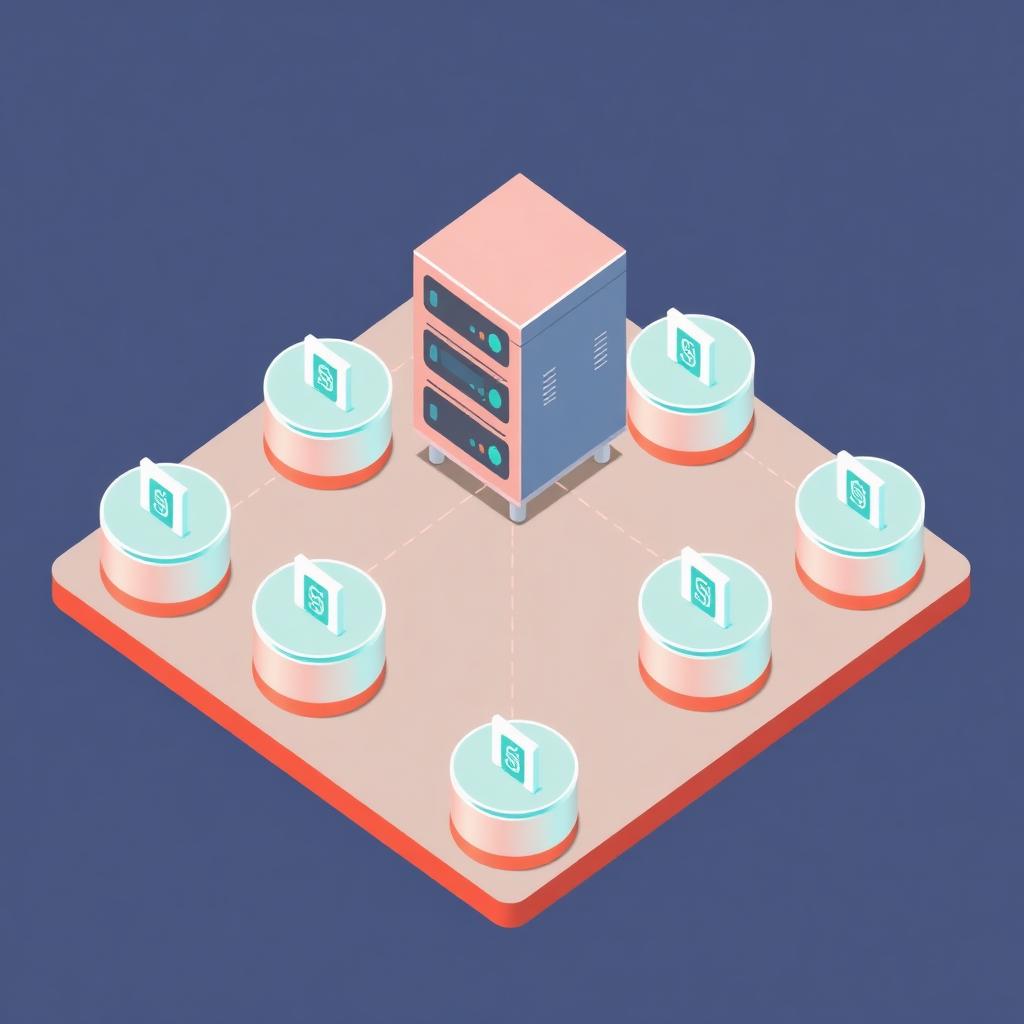
Modern Software-as-a-Service (SaaS) applications require scaling mechanisms that extend far beyond simply adding compute nodes or memory. At the core of every B2B and enterprise SaaS platform lies the concept of multi-tenancy: a software architecture where a single running instance of an application serves multiple distinct customer groups, known as "tenants." Each tenant demands an absolute guarantee that their private data, configuration states, custom domains, and user memberships remain isolated from those of every other tenant on the system.
In the ecosystem surrounding Taylor Otwell's Laravel framework, implementing this level of isolation is not a solved, single-click endeavor. Laravel is fundamentally designed as a tenant-agnostic, monolithic framework. Out of the box, its Eloquent ORM, cache repositories, queue workers, and routing systems expect a unified target database and a singular global state. Developers must therefore explicitly retro-fit or build layers on top of the framework's core dependencies to introduce multi-tenant isolation.
When evaluating multi-tenant patterns, we categorise solutions by their degree of data and resource segregation. On one end of the spectrum is logical separation, where every tenant shares the exact same database tables, separated only by a foreign key column (typically tenant_id). On the other end is physical or infrastructure separation, where each tenant receives its own database schema or even dedicated database servers, completely decoupling read/write paths.
Selecting the wrong abstraction model at the beginning of a project is a fatal architectural mistake. Transitioning an enterprise application from a shared single-database design to a multi-database architecture three years down the line can cost hundreds of thousands of dollars in engineering hours and result in prolonged system instability. This guide acts as an editorial blueprint, detailing the engineering realities of multi-tenant Laravel systems, providing complete implementations for both architectural paradigms, evaluating existing package ecosystems, and analyzing the silent operational trade-offs that often catch platform architects off guard.
The Architecture Dilemma: Shared Database vs. Database-per-Tenant
The fundamental dividing line in multi-tenant system design is data storage. How do we keep Client A's financial ledgers safe from the eyes of Client B's employees, while keeping infrastructure costs within a reasonable margin? The choice between a Shared Database (Single-Database) and a Database-per-Tenant (Multi-Database) model dictates every subsequent architectural decision, from queue worker design to continuous integration pipelines.
The Single-Database Paradigm (Logical Isolation)
In a single-database design, all tenant data is co-located in the same database instance, within the exact same tables. We enforce separation by appending a tenant_id column to every database table containing tenant-specific records (e.g., orders, invoices, users). Whenever the application queries these tables, it must append a WHERE tenant_id = ? clause to ensure data boundaries are respected.
This model is extremely cost-effective. Database connections are static and predictable. A single connection pool handles all incoming traffic, and scaling the system means scaling a single, centralized database instance using standard techniques like replication, read-write splitting, and vertical hardware upgrades. However, the risk of developer error is high. A single forgotten WHERE tenant_id clause in a complex raw SQL query can expose sensitive corporate records to competitors, violating privacy regulations and destroying brand reputation overnight.
The Multi-Database Paradigm (Physical Isolation)
Under the multi-database architectural pattern, there is a central database (often referred to as the "landlord" or "system" database) and many individual "tenant" databases. The landlord database stores metadata about the tenants, such as their subdomains, custom domain configurations, billing tiers, and database connection credentials. When an HTTP request or console command enters the application, the system identifies the targeted tenant, retrieves their specific connection credentials from the landlord database, and dynamically reconfigures Laravel's Eloquent connection on the fly.
This approach provides a bulletproof level of security. Because Tenant A and Tenant B use entirely separate physical databases, there is zero risk of cross-pollinating queries via a missing software-level scope. Furthermore, it allows for easy compliance with strict data-residency laws (e.g., GDPR, HIPAA), as an individual tenant's database can be hosted on a physical server located within a specific geographic region. The contrarian downside, which we will address closely, is the drastic increase in operational complexity. Running migrations across 500 individual databases is an engineering challenge that requires custom-built runner tools, distributed locking mechanisms, and robust error recovery routines.
Let us compare these models across several critical operational dimensions:
Architectural Dimension — Shared Single-Database — Database-per-Tenant
Infrastructure Costs — Extremely Low. Fits comfortably on small instances; utilizes a single connection pool. — Escalates quickly. Each tenant requires a database schema; connection limits are easily reached on RDS/CloudSQL.
Data Isolation Security — Software-defined. Vulnerable to developer errors, raw SQL leaks, and scope bypasses. — Hardware/Schema enforced. Highly secure; cross-tenant SQL leaks are physically impossible.
Schema Migration Complexity — Low. Standard php artisan migrate run against a single target database. — High. Must run migrations sequentially or concurrently across hundreds or thousands of databases.
Backup and Restore Fidelity — Complex. Restoring a single tenant's data requires surgical database exports/restores. — Simple. To restore a single tenant, simply restore their specific database backup file directly.
Laravel Cache Cleanliness — Challenging. Requires manual key-prefixing or tenant-scoped Redis database databases. — Simpler. Every tenant context can map to dedicated database indexes, though shared cache keys still require isolation.
Max Concurrent Scalability — Limited by table scale. Large tables (billions of rows) require complex custom partitioning. — Limited by connection counts. Maximum connection limits on databases require proxy pools like PGPool-II or ProxySQL.
To understand how to navigate these challenges, we must analyze the upstream entry point for both approaches: how the application identifies which tenant is requesting resources in the first place.
Tenancy Identification Vectors: Subdomains, Domains, and Custom Headers
Before the application can fetch tenant-specific data, it must resolve the identity of the requesting tenant. This resolution must happen as early as possible in the Laravel request lifecycle, ideally during the bootstrap phase of the HTTP kernel or within a high-priority middleware. There are three common identification vectors: subdomain-based, custom-domain-based, and request-header-based (or API-driven).
For an exhaustive review of our implementation services for distributed architectural designs, consult our dedicated Dev Loader LLC Services Directory.
Subdomain Identification
Subdomain-based routing is the standard convention for multi-tenant SaaS products (e.g., tenant1.yourplatform.com, tenant2.yourplatform.com). In Laravel, this can be achieved by utilizing route parameter bindings or wildcard subdomain routing in the RouteServiceProvider.
Route::domain('{tenant}.yourplatform.com')->group(function () {
    Route::get('/dashboard', [DashboardController::class, 'index']);
});
When a request arrives, Laravel automatically extracts the {tenant} parameter and passes it to the controller. However, executing this within individual routing files spreads the tenant resolution logic across the entire core domain, making global database modifications difficult. A more robust implementation involves writing a custom middleware that inspects the Host header of the incoming HTTP request, resolves the tenant, sets it in the application container as a singleton, and dynamically overrides the database config before any routing or application logic executes.
Custom Domain Identification
Enterprise clients frequently request the ability to point their own custom domains (e.g., app.clientcompany.com) to a SaaS platform. To support this, your DNS records must be configured with a wildcard A-record pointing to your application's load balancer, and your web server configuration (such as Nginx or Caddy) must be set up to accept any Host header.
The identification middleware must then look at the absolute Host header, check it against a lookup table of custom domains in the landlord database, and locate the tenant record. If a match is found, that tenant is marked active. If not, the application falls back to analyzing the subdomain or returns a 404 response.
Custom Headers and API-Driven Identification
For decoupled single-page applications (SPAs) or mobile apps communicating with a Laravel API backend, using subdomains is often impractical due to cross-origin resource sharing (CORS) rules. In these architectures, the client sends a unique identifier (like a UUID) in a custom HTTP header, such as X-Tenant-ID.
The backend Laravel application reads this header in a global middleware. This method is highly flexible, but it carries a higher vulnerability vector: the identifier is easily spoofed if proper cryptographic validation (such as signed payloads or JWT claims) is not implemented on the header value itself. If you are scaffolding new RESTful APIs, you may find pre-assembled packages that handle these identification pipelines in our SaaS Marketplace templates.
Implementation Walkthrough 1: Single-Database Row-Level Isolation

Let us construct a complete, robust, and custom single-database multi-tenancy implementation. This package-less implementation ensures that every query run against our tenant-specific Eloquent models automatically appends the correct tenant_id constraint without relying on third-party frameworks. We will use two core Laravel concepts: Global Query Scopes and Model Observers/Boot Trait Methods.
Step 1: The Landlord Database Interface and Tenant Context Manager
We need a central location within the application lifecycle to hold the state of the "active" tenant. This class is registered as a singleton in the Laravel service container.
namespace App\Tenancy;

use App\Models\Tenant;
use Illuminate\Support\Facades\Log;

class TenantManager
{
    protected ?Tenant $currentTenant = null;

    /**
     * Set the current active tenant for this request.
     */
    public function setTenant(Tenant $tenant): void
    {
        $this->currentTenant = $tenant;

        // Log isolation swap to help in debugging high-concurrency leaks
        Log::debug("Tenancy context switched to Tenant UUID: {$tenant->uuid}");
    }

    /**
     * Get the current active tenant model.
     */
    public function getTenant(): ?Tenant
    {
        return $this->currentTenant;
    }

    /**
     * Determine if a tenant context has been successfully resolved.
     */
    public function hasTenant(): bool
    {
        return $this->currentTenant !== null;
    }

    /**
     * Retrieve the raw database ID of the current tenant.
     */
    public function getTenantId(): ?int
    {
        return $this->currentTenant?->id;
    }
}
This manager is then registered within our AppServiceProvider or a dedicated TenancyServiceProvider inside the register method:
$this->app->singleton(TenantManager::class, function ($app) {
    return new TenantManager();
});
Step 2: The Global Tenant Scope
Laravel's Illuminate\Database\Eloquent\Scope interface lets us hook directly into query builders. When a model utilizes this scope, all SELECT, UPDATE, and DELETE queries are restricted to the active tenant's context.
namespace App\Tenancy\Scopes;

use Illuminate\Database\Eloquent\Builder;
use Illuminate\Database\Eloquent\Model;
use Illuminate\Database\Eloquent\Scope;
use App\Tenancy\TenantManager;

class TenantScope implements Scope
{
    protected TenantManager $tenantManager;

    public function __construct(TenantManager $tenantManager)
    {
        $this->tenantManager = $tenantManager;
    }

    /**
     * Apply the scope to a given Eloquent query builder.
     */
    public function apply(Builder $builder, Model $model): void
    {
        // If no tenant has been identified (e.g. running global console commands),
        // we omit scoping entirely or crash depending on strict system settings.
        if ($this->tenantManager->hasTenant()) {
            $builder->where($model->getTable() . '.tenant_id', '=', $this->tenantManager->getTenantId());
        }
    }
}
Step 3: The BelongsToTenant Trait
To easily apply this global scope to any model in our application (like Order, Customer, or Invoice), we create a reusable trait. This trait automatically boots our TenantScope and registers a model event listener to inject the current tenant_id whenever a new record is created.
namespace App\Tenancy\Traits;

use App\Tenancy\Scopes\TenantScope;
use App\Tenancy\TenantManager;
use Illuminate\Database\Eloquent\Model;
use RuntimeException;

trait BelongsToTenant
{
    /**
     * Boot the trait to automatically register Eloquent scope and event handlers.
     */
    public static function bootBelongsToTenant(): void
    {
        $tenantManager = app(TenantManager::class);

        // Apply our global query scope to restrict all reads
        static::addGlobalScope(new TenantScope($tenantManager));

        // Intercept creation to automatically populate tenant_id
        static::creating(function (Model $model) use ($tenantManager) {
            if (!$tenantManager->hasTenant()) {
                throw new RuntimeException(
                    "Attempted to create record on class " . get_class($model) . " without an active tenant context."
                );
            }

            // Explicitly set the foreign key
            $model->tenant_id = $tenantManager->getTenantId();
        });
    }

    /**
     * Define the explicit relationship back to the Tenant.
     */
    public function tenant()
    {
        return $this->belongsTo(\App\Models\Tenant::class, 'tenant_id');
    }
}
Step 4: The Routing and Resolution Middleware
We write a middleware to identify the tenant from a modern API header or a subdomain representation, and load it into our TenantManager singleton.
namespace App\Http\Middleware;

use Closure;
use Illuminate\Http\Request;
use App\Tenancy\TenantManager;
use App\Models\Tenant;
use Symfony\Component\HttpFoundation\Response;

class ResolveTenant
{
    protected TenantManager $tenantManager;

    public function __construct(TenantManager $tenantManager)
    {
        $this->tenantManager = $tenantManager;
    }

    /**
     * Handle an incoming HTTP request.
     */
    public function handle(Request $request, Closure $next): Response
    {
        // 1. Resolve domain or header
        $host = $request->header('X-Tenant-Domain') ?? $request->getHost();

        // 2. Fetch the corresponding tenant from cache or active database
        $tenant = Tenant::where('domain', $host)
            ->orWhere('subdomain', strstr($host, '.', true))
            ->first();

        // 3. Halt request if tenant is invalid or missing
        if (!$tenant) {
            return response()->json([
                'error' => 'Tenant could not be resolved. Please verify domain parameters.'
            ], Response::HTTP_NOT_FOUND);
        }

        // 4. Activate tenant context in the manager
        $this->tenantManager->setTenant($tenant);

        return $next($request);
    }
}
This single-database strategy is highly performant because it leverages standard indexes on the database. However, deep attention must be given to query paths that bypass Eloquent completely.
For instance, direct database transactions run using the DB::table() facade bypass all global scopes, creating potential security vulnerabilities. To learn more about standard queries and optimizing standard indexes under high load, see our guide on Laravel Query Optimization and Advanced Indexing.
Single-Database Performance Characteristics
Let us review the performance traits of single-database tenancy at scaling milestones.
Tenant Metric — Total Database Records — Typical Latency (MS) — DB RAM Allocated — Optimization Strategy
10 Tenants — 50,000 — 12ms — 2GB — Default indexes on primary foreign key columns (tenant_id).
500 Tenants — 20,000,000 — 24ms — 16GB — Composite indexing (tenant_id, created_at), read replicas.
2,000 Tenants — 150,000,000 — 65ms — 64GB — Partitioning tables by range or list, utilizing Postgres schemas.
10,000 Tenants — 1,000,000,000+ — 120ms — 128GB+ — Full application database sharding combined with Redis primary routing.
Implementation Walkthrough 2: Multi-Database Dynamic Connections
For platforms hosting legacy enterprise software clients, a separate database for each tenant is often a mandatory architectural requirement. Here, we build a dynamic connection manager. When an active tenant is loaded, this manager changes the current active database connection configuration in Laravel's run-time configuration, purges the existing connection cache, and establishes a secure link to the tenant's individual database.
namespace App\Tenancy;

use App\Models\Tenant;
use Illuminate\Support\Facades\DB;
use Illuminate\Support\Facades\Config;
use RuntimeException;

class DynamicConnectionManager
{
    protected string $tenantConnectionName = 'tenant';
    protected ?Tenant $currentTenant = null;

    /**
     * Switch database operations context dynamically.
     */
    public function connect(Tenant $tenant): void
    {
        $this->currentTenant = $tenant;

        // 1. Declare dynamic database credentials based on tenant properties
        $connectionConfig = [
            'driver'    => 'mysql',
            'host'      => $tenant->db_host ?? config('database.connections.mysql.host'),
            'port'      => $tenant->db_port ?? config('database.connections.mysql.port'),
            'database'  => $tenant->db_database,
            'username'  => $tenant->db_username,
            'password'  => $tenant->db_password, // Decrypted at rest if encrypted
            'charset'   => 'utf8mb4',
            'collation' => 'utf8mb4_unicode_ci',
            'prefix'    => '',
            'strict'    => true,
            'engine'    => null,
        ];

        // 2. Overwrite the designated 'tenant' connection settings
        Config::set("database.connections.{$this->tenantConnectionName}", $connectionConfig);

        // 3. Purge existing connection instance to clear stale network sockets
        DB::purge($this->tenantConnectionName);

        // 4. Force reconnection to immediate target database to validate login
        try {
            DB::connection($this->tenantConnectionName)->reconnect();
        } catch (\Exception $e) {
            throw new RuntimeException("CRITICAL: Tenant database reconnection failed: " . $e->getMessage());
        }

        // 5. Optionally override default connection so all model requests flow to this new connection
        DB::setDefaultConnection($this->tenantConnectionName);
    }

    /**
     * Terminate the connection and reset defaults to landlord server.
     */
    public function disconnect(): void
    {
        DB::purge($this->tenantConnectionName);
        DB::setDefaultConnection(config('database.default'));
        $this->currentTenant = null;
    }
}
Now let us look at how model queries, routing, and deployment configurations play out under this dynamic structure.
Defining Models in Multi-Database Contexts
Each model inside the Laravel ecosystem points to a configured connection. To guarantee your tenant-specific models (e.g., Product, Log, Order) always resolve through the dynamic pathway, you must set their $connection variable to match the dynamic name defined above.
namespace App\Models;

use Illuminate\Database\Eloquent\Model;

class Product extends Model
{
    // Point this model to the dynamically mapped connection name
    protected $connection = 'tenant';
}
Models that live strictly in the global space, such as your core tracking schemas or billing plans, continue using the standard 'mysql' or 'pgsql' target database.
namespace App\Models;

use Illuminate\Database\Eloquent\Model;

class Tenant extends Model
{
    // Stored in the primary landlord database
    protected $connection = 'landlord';
}
This strict segregation makes sure that no landlord table schemas are accidentally modified or deleted during individual tenant runtime actions. If your application models grow to represent dozens of distinct operational scopes, organizing your system migrations becomes a main priority. For deep details on managing dynamic schemas, see our editorial review of scaffolding SaaS backends in Laravel.
The Role of Specialized Packages: ArchTech Tenancy vs. Spatie Multitenancy
While building custom tenancy logic is excellent for keeping dependencies minimal and avoiding unnecessary complexity, the Laravel ecosystem features two leading multi-tenancy packages that handle this heavy lifting: Tenancy for Laravel by ArchTech and Laravel Multitenancy by Spatie.
ArchTech: Tenancy for Laravel
ArchTech's Tenancy for Laravel is a highly integrated, automatic multi-tenancy package. It operates on the philosophy that you shouldn't have to change your application model and controller code to support tenancy. Instead, it hooks into low-yield entry pathways within Laravel's HTTP foundation, automatically boosting connection adapters, overriding redis variables, isolated queues, cache partitions, and filesystem paths.
Core Benefits:
- Truly Automatic Multi-Database Tenancy: You do not need to explicitly define static
$connectionmodels. The package intercepts database routing at the adapter generation step. - Tenant Asset Isolation: It dynamically overrides storage directories, making sure files uploaded by Tenant A do not sit in the same public directory structure as those of Tenant B.
- Flexible Identification Pipelines: Complete support for subdomains and custom domains right out of the box, with high-quality identification events.
Key Drawback: High architectural coupling. It wraps deeply around standard Laravel events, which can make debugging framework upgrades difficult.
Spatie: Laravel Multitenancy
Spatie's Laravel Multitenancy takes a more modular approach. Seeking to offer simplicity and framework-native structures, this package believes the architecture should remain transparent. It provides clean tracking wrappers, middleware loops, and config binders without hiding database operations from the developer.
Core Benefits:
- Explicit Connection Overriding: It does not make deep changes to framework systems. This means fewer integration conflicts when running third-party Laravel modules or customized drivers.
- No-Magic Database Swapping: Utilizes custom "Tenant Switcher" adapter classes. You can write your own switcher classes to support complex cluster routing.
- High Modular Compatibility: Works well in codebases that transition from standard monolithic pipelines into multi-database structures.
Key Drawback: Less automated "magic" means your engineering team will write more custom-crafted wrappers to maintain asset isolation, queue routing, and storage partitioning.
Let us compare their technical profiles inside a system architecture:
Package Feature — ArchTech (Tenancy for Laravel) — Spatie (Laravel Multitenancy) — Custom Implementation
System Philosophy — Integrated & Automated — Unintrusive & Explicit — Minimalist & Bespoke
File Isolation — Automatic (Storage drivers are dynamically updated) — Manual (Requires custom configured disks) — Manual configuration of paths
Database Swapping — Completely Automated — Semi-Automated (Requires connection config switcher tasks) — Explicit (handled via custom Middlewares)
Performance Overhead — Small footprint; custom hooks in framework — Negligible; uses basic connection logic — None; optimized for your application's exact needs
Upgrade Path Complexity — High. Large breaking platform updates can impact customization hooks — Minimal. Standard packages rarely impact framework upgrades — No external dependency risk
Ultimately, choosing between these solutions is a choice between speed of execution and long-term control. ArchTech's Tenancy for Laravel is a strong fit for complex SaaS platforms that require immediate database isolation, storage segmentation, and Redis tenant mapping out of the box.
Spatie’s package is best for development teams that demand complete control over execution flows with zero framework magic, and who are comfortable writing custom hooks for complex infrastructure isolation.
The Contrarian Trade-Off: Why You Might *Not* Want Multi-Database Tenancy

Modern system design often elevates physical multi-database systems as the gold standard for high-performance enterprise SaaS design. However, there are significant operational drawbacks to this approach. In practice, choosing a multi-database architecture is often an expensive operational choice that can create massive systemic friction for SaaS startups.
Many application architects underestimate the effort required to maintain thousands of distinct database pools. Let us discuss the silent structural trade-offs that often catch platform-engineering teams by surprise:
1. Connection Limits and Network Saturation
Every database server has a physical limit on the maximum number of concurrent client connections it can support. PostgreSQL, for example, typically experiences performance degradation as active connection counts rise, as each active connection spawns a dedicated OS process.
Consider a typical Laravel production deployment: auto-scaling sets up 10 PHP-FPM web server containers, each configured to handle up to 50 concurrent requests. If you have 500 active tenants on a multi-database setup, and those databases are configured with a default connection pool, you can quickly hit connection limits on your database server.
Total Active Containers: 10
Tenants: 500
Potential database connections per container (Worst Case): 500
Theoretical concurrent database connections: 10 * 500 = 5,000 connections
At this scale, a standard cloud-hosted RDS instance (such as an AWS db.m6g.xlarge instance) will run out of connection capacity, causing client connection timeouts and system outages. Developers must then configure complex connection proxies, like PgBouncer or PGPool for Postgres, or ProxySQL for MySQL. This adds an additional layer of critical infrastructure that can fail and must be monitored 24/7.
2. Operational Overhead of Schema Migrations
In a single-database design, deploying a schema change is simple:
php artisan migrate --forceThis updates all tables in a single transaction in a few seconds.
In contrast, in a multi-database architecture, updating your schema requires looping through every tenant database and running the migrations individually:
php artisan tenants:migrateThis presents several major operational risks:
- Prolonged Deployment Windows: Running migrations across 2,000 individual databases can take hours. If a migration fails at database #1,402 due to unique data in that schema, your deployment sits in a "half-baked" state where some tenants are on model schema v2.1 and others are stuck on v2.0.
- Race Conditions: Ensuring database consistency while the migration loop is running requires implementing distributed locks. If you don't, two dynamic background queue workers might try to migrate the same database at the same time, leading to corrupted metadata schemas.
- No Simple Rollbacks: If a bug is caught in a new schema version, rolling back across thousands of isolated schemas is incredibly complex and risky.
3. Reporting and Aggregation Architecture Challenges
How do you generate an executive business dashboard that aggregates daily sales across all tenants?
In a single-database setup, this is a straightforward SQL query:
SELECT SUM(total_price) FROM orders WHERE created_at > NOW() - INTERVAL '1 day';In a multi-database architecture, you cannot run join queries across separate physical databases. To show aggregated data, you must write complex extract, transform, and load (ETL) pipelines that poll each tenant database, transform the data, and stream it to a centralized data warehouse (such as Snowflake, BigQuery, or a master analytics database). This requires significant data engineering effort and increases your overall cloud infrastructure bill.
For a deep dive into sharding and advanced data distribution models, read our in-depth research piece on Enterprise Database Sharding in Laravel Ecosystems.
Mitigating Data Leaks: Security Auditing and Automated Pentesting in Laravel
If you choose a single-database model, you must have a zero-tolerance policy for data leaks. Because a missing Eloquent query scope is all it takes to expose sensitive data to the wrong user, you need automated, programmatic safeguards to catch these issues before they reach production.
To prevent and identify data leaks early, your team should implement these key processes:
1. The Dynamic "Scope Guard" Middleware Test
Create a specialized automated test suite that runs against all API endpoints and attempts to access resources without a valid X-Tenant-Domain header. The suite must verify that every request targeting a tenant resource returns a 404 Not Found or 401 Unauthorized response, confirm that no SQL errors are leaked, and verify that the base database query count is zero.
2. Preventing Eloquent Scope Bypass
Laravel models sometimes run methods that temporarily remove global scopes (e.g., withoutGlobalScopes() or withoutGlobalScope(TenantScope::class)). While these methods are useful for internal reporting tools, they are highly risky in user-facing code.
To prevent accidental scope bypasses, you can write an architecture-check test using tool frameworks like Spatie's PHPStan Rules or ArchExpress. These tools scan the codebase and flag any usage of withoutGlobalScopes or raw SQL updates:
// An example static analysis rule inside phpstan.neon
parameters:
    laravel:
        preventScopeBypasses: true
3. Database Query Logs Inspection Test
You can write an integration test that hooks into Laravel’s database query listener. This test executes a variety of user/tenant controller requests, logs every single executed SQL query, and uses basic string parsing or static AST parsing to verify that a where "tenant_id" = ? clause is present in every query targeting tenant-specific tables.
namespace Tests\Feature;

use Tests\TestCase;
use Illuminate\Support\Facades\DB;
use App\Models\User;
use App\Models\Tenant;
use RuntimeException;

class TenancyIsolationTest extends TestCase
{
    /**
     * Assert that every query executed during this request contains the active tenant_id constraint.
     */
    public function test_all_database_queries_are_scoped_strictly(): void
    {
        $tenant = Tenant::factory()->create();
        $user = User::factory()->create(['tenant_id' => $tenant->id]);

        $queriesRun = [];

        // Listen to all database queries
        DB::listen(function ($query) use (&$queriesRun) {
            $queriesRun[] = $query->sql;
        });

        // Execute a typical controller endpoint request under this tenant context
        $response = $this->actingAs($user)
            ->withHeader('X-Tenant-Domain', $tenant->domain)
            ->getJson('/api/v1/orders');

        $response->assertStatus(200);

        // Analyze our executed SQL queries
        foreach ($queriesRun as $sql) {
            // Check if our tenant-scoped tables are used without a tenant_id check
            if (str_contains($sql, '`orders`') || str_contains($sql, '"orders"')) {
                if (!str_contains($sql, '`tenant_id` =') && !str_contains($sql, '"tenant_id" =')) {
                    throw new RuntimeException(
                        "SECURITY EXPLOIT ALERT: Query executed without active tenant filter scope: {$sql}"
                    );
                }
            }
        }
    }
}
By routinely running checking suites like this in your CI/CD pipelines (e.g., GitHub Actions, GitLab CI), you can catch query scope bypasses before they are deployed to your production environment. For larger compliance frameworks, these checks are crucial for meeting security compliance standards such as SOC2 or ISO 27001.
Queue Worker Isolation and Tenant-Aware Jobs
Laravel's queue system operates independently from HTTP request flows. When a web request dispatches a job to a background worker (running via Redis, Amazon SQS, or database queues), the HTTP host headers, active database connections, and session states are lost.
If a queue worker picks up a job (e.g., GenerateInvoicePdf) without knowing the tenant context, it will either try to access the host database (violating isolation) or crash because the necessary model attributes are missing. To solve this, you must make your background jobs tenant-aware.
Step 1: Defining the Tenant-Aware Job Interface
To ensure consistency, we define a standard interface for jobs that must run within a tenant's context.
namespace App\Contracts;

interface TenantAwareJob
{
    public function getTenantId(): int;
}
Step 2: Utilizing Laravel Job Serialization to Persist Context
When you dispatch an Eloquent model to a job, Laravel serializes the model’s primary keys using the Queueable trait. We can extend this behavior to serialize and restore the active tenant context automatically.
namespace App\Jobs;

use Illuminate\Bus\Queueable;
use Illuminate\Contracts\Queue\ShouldQueue;
use Illuminate\Foundation\Bus\Dispatchable;
use Illuminate\Queue\InteractsWithQueue;
use Illuminate\Queue\SerializesModels;
use App\Contracts\TenantAwareJob;
use App\Models\Tenant;

class ProcessTenantReport implements ShouldQueue, TenantAwareJob
{
    use Dispatchable, InteractsWithQueue, Queueable, SerializesModels;

    protected Tenant $tenant;
    protected array $reportParams;

    /**
     * Create a new job instance.
     */
    public function __construct(Tenant $tenant, array $reportParams)
    {
        // Because the $tenant model uses SerializesModels,
        // Laravel's queue runner stores only the class name and primary key.
        $this->tenant = $tenant;
        $this->reportParams = $reportParams;
    }

    /**
     * Retrieve the associated id to satisfy our TenantAware interface.
     */
    public function getTenantId(): int
    {
        return $this->tenant->id;
    }

    /**
     * Execute the job.
     */
    public function handle(): void
    {
        // Job-specific execution logic.
        // Isolation is safely guaranteed by our global queue event binders.
    }
}
Step 3: Registering Global Queue Event Hooks
We can use Laravel's queue events in our AppServiceProvider to automatically detect when a job implements TenantAwareJob. When detected, we dynamically restore the tenant connection state before the job executes, and clear it once the job completes.
namespace App\Providers;

use Illuminate\Support\ServiceProvider;
use Illuminate\Support\Facades\Queue;
use Illuminate\Queue\Events\JobProcessing;
use Illuminate\Queue\Events\JobProcessed;
use Illuminate\Queue\Events\JobFailed;
use App\Contracts\TenantAwareJob;
use App\Models\Tenant;
use App\Tenancy\DynamicConnectionManager;

class TenancyQueueServiceProvider extends ServiceProvider
{
    public function boot(): void
    {
        $connectionManager = $this->app->make(DynamicConnectionManager::class);

        // 1. Hook into the 'JobProcessing' event (runs right before the job starts)
        Queue::before(function (JobProcessing $event) use ($connectionManager) {
            $jobPayload = $event->job->payload();

            // Unserialize the command object inside the payload
            $command = unserialize($jobPayload['data']['command']);

            if ($command instanceof TenantAwareJob) {
                // Fetch the corresponding tenant from the central database
                $tenant = Tenant::find($command->getTenantId());

                if ($tenant) {
                    // Activate connection swapping
                    $connectionManager->connect($tenant);
                }
            }
        });

        // 2. Clear connection configurations when jobs finish or fail
        $cleanupCallback = function () use ($connectionManager) {
            $connectionManager->disconnect();
        };

        Queue::after(new class($cleanupCallback) {
            public function __construct(private $callback) {}
            public function __invoke(JobProcessed $event) { ($this->callback)(); }
        });

        Queue::failing(new class($cleanupCallback) {
            public function __construct(private $callback) {}
            public function __invoke(JobFailed $event) { ($this->callback)(); }
        });
    }
}
4. Cache and Queue Isolation in Redis
When using vertical Redis clusters to run queues, jobs from different tenants can collide if they share the same key namespaces. For example, if Tenant A and Tenant B both dispatch a job with the ID 12, the status metrics in Redis can overwrite each other.
To prevent this collision on shared caching and queue keys, you must set up unique string prefixes or route your keys to separate Redis databases. For advice on configuring Redis clusters safely, read our technical deep-dive on Redis Clustering Patterns in Laravel.
Scaling the Multi-Database Architecture: Migrations, Backups, and Provisioning
At small scales, managing a multi-database architecture is relatively straightforward. However, when you scale to hundreds or thousands of tenant databases, standard deployment processes can quickly become bottlenecks. To scale sustainably, you must automate and optimize your database migrations, backups, and provisioning workflows.
1. High-Performance Parallel Migrations
Running tenant migrations sequentially using a standard foreach loop can take a long time as your database count grows.
// The naive approach: sequential migrations
foreach (Tenant::all() as $tenant) {
    Artisan::call('migrate', [
        '--database' => 'tenant',
        '--path' => 'database/migrations/tenant'
    ]);
}
If you have 1,000 tenants, and migrating each database takes 1.5 seconds, running your deployments sequentially will take 25 minutes. During this time, your application is in a vulnerable, inconsistent state.
To speed up this process, you must run migrations in parallel. You can use Laravel's native Process features to run migrations across multiple database schemas concurrently:
namespace App\Console\Commands;

use Illuminate\Console\Command;
use App\Models\Tenant;
use Illuminate\Support\Facades\Process;

class MigrateTenantsParallel extends Command
{
    protected $signature = 'tenants:migrate-parallel {--concurrency=10}';
    protected $description = 'Run migrations across all tenant databases concurrently.';

    public function handle(): void
    {
        $tenants = Tenant::all();
        $concurrency = (int) $this->option('concurrency');

        $chunks = $tenants->chunk($concurrency);

        foreach ($chunks as $chunk) {
            $processes = [];

            foreach ($chunk as $tenant) {
                // Trigger an isolated artisan migrate command via separate process handles
                $processes[] = 'php artisan tenants:migrate-single ' . $tenant->id;
            }

            // Run process orchestration concurrently
            $results = Process::concurrently(function ($pool) use ($processes) {
                foreach ($processes as $command) {
                    $pool->command($command);
                }
            });

            // Verify execution outputs
            foreach ($results as $result) {
                if ($result->exitCode() !== 0) {
                    $this->error("Migration process failed during deployment pool run. Error: " . $result->errorOutput());
                }
            }
        }
    }
}
By decoupling these deployments into parallel processes, you can scale your database migrations efficiently, significantly reducing your overall deployment windows.
2. Tenant Provisioning Strategy: The Database Template Pattern
When a new user signs up for your SaaS product, provisioning their database in real-time can be a slow process. If your signup pipeline triggers raw SQL shell scripts or runs migrations on the fly, new signups will face long wait times.
Request Received -> Run create database -> Run 150 migrations sequentially -> Rebuild cache pools -> Resolve redirectThis sequence takes between 10 and 20 seconds, leading to a poor onboarding experience and high server load.
To provision tenants quickly and reliably under the multi-database model, you should implement the Template Database Pattern.
Under this pattern, you maintain an empty, pre-migrated "template schema" on your database cluster. When a new tenant signs up, the system clones this template database directly, rather than running migrations from scratch.
-- Cloning Postgres template database dynamically in raw SQL:
CREATE DATABASE tenant_new_uuid WITH TEMPLATE tenant_template_schema;
This cloning process is highly optimized at the database level and typically completes in under 200 milliseconds. Afterward, your application only needs to register the new connection credentials in your landlord database and run any new, pending migrations, making the signup flow fast and reliable.
Hybrid Approaches: The "Landlord" Database and Federated Routing
Many enterprise platforms use a hybrid architecture to balance the cost benefits of a single-database setup with the robust isolation of a multi-database model.
In a hybrid multi-tenant structure, the application uses Logical Single-Database isolation for smaller self-service or trial tiers, where keeping operational costs low is the priority. At the same time, it uses Physical Database isolation for high-paying enterprise tiers, giving these clients their own dedicated database databases on isolated hardware nodes.
To implement this, you must run a "Landlord Router" in your application. The landlord database stores metadata for all tenants, including their hosting model (e.g., 'shared' or 'dedicated').
                              [Incoming Host Request]
                                         |
                                         v
                         [Landlord Database Routing Table]
                         /                               \
               (Tiers: Trial/Pro)                 (Tier: Enterprise)
                      /                                   \
                     v                                     v
       [Shared Single Database]                  [Isolated Database Connection]
       - Uses TenantScope filters                - Triggers DynamicConnectionManager
       - Shared connection pools                 - High infrastructure isolation
To support a hybrid setup, your application's middleware must be capable of dynamically routing requests to the appropriate database environment based on the resolved tenant's configuration.
namespace App\Http\Middleware;

use Closure;
use Illuminate\Http\Request;
use App\Tenancy\TenantManager;
use App\Tenancy\DynamicConnectionManager;
use App\Models\Tenant;
use Symfony\Component\HttpFoundation\Response;

class ResolveHybridTenancy
{
    protected TenantManager $tenantManager;
    protected DynamicConnectionManager $dynamicDBManager;

    public function __construct(
        TenantManager $tenantManager,
        DynamicConnectionManager $dynamicDBManager
    ) {
        $this->tenantManager = $tenantManager;
        $this->dynamicDBManager = $dynamicDBManager;
    }

    /**
     * Resolve and adapt connections flexibly dynamically.
     */
    public function handle(Request $request, Closure $next): Response
    {
        $domain = $request->header('X-Tenant-Domain') ?? $request->getHost();
        $tenant = Tenant::where('domain', $domain)->first();

        if (!$tenant) {
            return response()->json(['error' => 'Unrecognized domain platform endpoint.'], 404);
        }

        if ($tenant->hosting_tier === 'enterprise') {
            // Enterprise Tier: Swaps connections to their dedicated database database
            $this->dynamicDBManager->connect($tenant);
        } else {
            // Shared Tier: Keeps default connection and sets context for our Global Scope
            $this->tenantManager->setTenant($tenant);
        }

        return $next($request);
    }
}
This hybrid approach allows you to scale the platform profitably, keeping infrastructure costs for smaller clients low while still meeting the strict security and compliance demands of your enterprise tier. For more information on managing complex structural migrations or planning high-performance transitions, check out our guide on Large Scope Migration Strategies.
Frequently Asked Questions
What is the primary difference between single-database and multi-database multi-tenancy in Laravel?
In a single-database design, all tenants share the same database tables. Separation is enforced logically using a tenant_id foreign key on each table. This approach is highly cost-effective and easy to scale up.
In a multi-database design, each tenant's data is stored in a separate database schema. Transitioning between tenants requires dynamically changing connection parameters at runtime. This model provides superior data isolation, but it comes with higher infrastructure costs and operational complexity.
How does Laravel's Global Query Scope ensure tenant isolation in a single database?
A class implementing Illuminate\Database\Eloquent\Scope overrides the standard compilation paths of dynamic Eloquent queries. When this scope is active on a model, it automatically appends a WHERE tenant_id = ? query constraint to all SELECT, UPDATE, and DELETE operations initiated by Eloquent.
This ensures that queries automatically target only the active tenant's records, without developers needing to manually write filter conditions throughout the codebase.
When should an enterprise choose Spatie's Multitenancy package over ArchTech's Tenancy for Laravel?
Spatie's laravel-multitenancy package is an excellent choice for teams that want a minimal, transparent framework wrapper and prefer to avoid core system magic. It gives you explicit control over connection swapping and database configuration.
Conversely, ArchTech's tenancy/tenancy is ideal for projects that require a turnkey, out-of-the-box solution that automatically handles file storage isolation, Redis prefixing, and background queue isolation alongside the core database connections.
How do background queue workers resolve the correct tenant context in a multi-tenant application?
By default, background queue workers lack HTTP request context, so they do not know which tenant dispatched a given background job. To solve this, you must serialize the active tenant's identifier (often a primary key) into the payload of every queued job.
By defining a standard interface, such as TenantAwareJob, and hooking into Laravel's Queue::before event listeners, your application can intercept jobs before they run, fetch the corresponding tenant's metadata, and set the database context dynamically.
What are the security risks associated with sharing Redis or Memcached cache layers among different tenants?
If you do not isolate your cache keys, you risk cross-tenant cache pollution:
Tenant A Cache key: `user_1` -> Maps to Tenant A's customer
Tenant B Cache key: `user_1` -> Maps to Tenant B's customer
If these keys are not isolated, one tenant's request could read cached data belonging to another. To prevent this, you must ensure that every tenant uses a unique database index in your cache configuration, or prefix all cache keys with the active tenant’s ID: tenant_{id}_{key}.
How does database migration scaling change when running migrations across thousands of tenant databases?
As your tenant count grows, running migrations sequentially using a standard loops can cause massive deployment delays and increase the risk of inconsistent database schemas.
To mitigate this, you must build parallel migration systems that run migration batches concurrently. Additionally, you should implement distributed locking mechanisms to prevent duplicate migration runs from corrupting your schemas.
Can a tenant have their own custom domain name pointing to a shared Laravel SaaS infrastructure?
Yes. To support custom domains, you must configure a wildcard DNS record (e.g., an A Record or CNAME pointing to your server's load balancer) and configure your web server (e.g., Nginx, Caddy, or Apache) to accept requests from any host name.
At the application level, a custom middleware intercepts the incoming Host header of the HTTP request, matches the domain against your landlord database records, and provisions the correct tenant context.
Is it possible to switch from a single-database tenant setup to a multi-database architecture later?
While migration is possible, transitioning an application from a shared single-database design to a multi-database architecture is a complex and risky process. It requires partitioning your shared tables, writing custom scripts to export data into individual database schemas, and safely updating your code to support dynamic connection swapping.
Because of the high engineering effort and risk of downtime, you should carefully weigh the long-term scalability and isolation requirements of your application before selecting your initial architecture.
Related reading
To further expand your systems development engineering skills in Laravel, check out these related field articles on our blog:
- Laravel Query Optimization and Advanced Indexing - Strategies for managing massive single-database datasets under high transactional loads.
- Scaffolding SaaS Backends in Laravel - Comprehensive blueprints for bootstrapping authentication, subdomains, and recurring billing.
- Redis Clustering Patterns in Laravel - Practical guides for scaling queue workloads and memory caches in high-traffic multi-tenant systems.
- Enterprise Database Sharding in Laravel Ecosystems - Going beyond multi-database setups to distribute data horizontally across multiple servers.
- Large Scope Migration Strategies - Best practices for deploying database changes safely to millions of tables without causing application downtime.
Secure Your Multi-Tenant Architecture
Designing, configuring, and scaling a multi-tenant Laravel SaaS is a complex engineering task. Whether you are building a new application from scratch or scaling an existing platform, securing your data isolation layers is crucial for your business's success.
The enterprise technical consultants at Dev Loader LLC are here to help. We build and audit high-performance, compliant architectures for businesses worldwide. To learn how we can help you build a reliable, secure multi-tenant platform, Contact our Systems Consultants at Dev Loader LLC to schedule a deep architecture review.