Criminal Defense Attorney Website Best Practices: Trust Signals
Master essential web design strategies for law firms. Learn how placing effective trust signals on your legal site drives consultations and builds immediate authority.
When a potential client searches for a criminal defense attorney, they are typically experiencing high-stress circumstances, strict court deadlines, and severe personal risks. In these high-stakes moments, users decide within seconds whether to trust a law firm or hit the back button. Web architecture, user experience, and visible credibility indicators dictate whether that user initiates a consultation or hires a competitor.
Building a high-converting legal platform requires moving beyond basic aesthetic templates. It demands programmatic transparency, verifiable authority, airtight security protocols, and strategic content placement.
Key takeaways
- Implement criminal defense attorney website best practices trust signals upfront to immediately validate legal expertise and reduce bounce rates.
- Structured Schema.org data validates attorney bar memberships, practice areas, and office locations directly for search engine algorithms.
- End-to-end encrypted intake forms and strict privacy controls protect vulnerable users and establish institutional trust.
- Prominent case outcomes and verified client reviews significantly increase consultation request conversion rates.
- Mobile performance optimization ensures instant page loads when clients need emergency legal representation on mobile devices.
Critical Trust Signals for Criminal Defense Attorney Websites
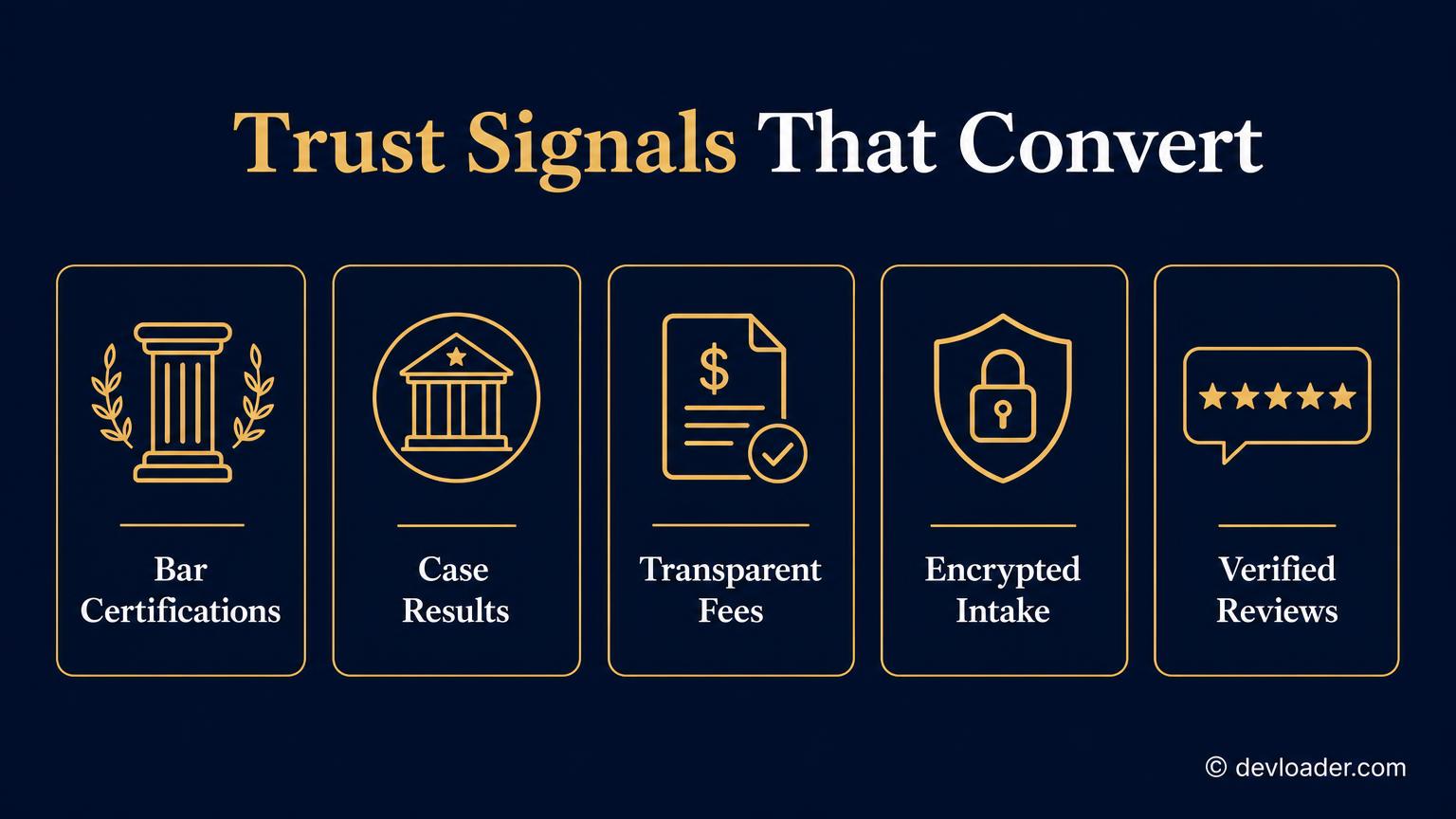
When optimizing a legal portal, adhering to criminal defense attorney website best practices trust signals ensures that visitors facing legal jeopardy convert into active consults. Unlike transactional e-commerce or B2B SaaS sites, criminal defense websites operate under Google's Your Money or Your Life (YMYL) evaluation standards. This means both human users and search algorithms scrutinize your domain for expertise, authoritativeness, and trustworthiness (E-E-A-T).
Establishing high credibility on a legal website requires layering several technical and structural trust elements across the user journey:
1. Verified Peer Ratings, Awards, and Bar Certifications
Third-party validation reduces initial skepticism. Displaying badges from accredited legal rating organizations—such as Super Lawyers, Avvo (10.0 Superb rating), Best Lawyers, or state-bar board certifications—provides immediate objective proof of competence. Place these badges prominently within the website header, hero section, and sidebar templates, linking directly to third-party verification profiles where possible. Reviewing fundamental essential law firm web design elements helps determine optimal placement for these credibility anchors.
2. Contextual Case Results and Outcome Statistics
Prospective defense clients want to know if you have handled their specific charges—whether it is a DUI, drug possession, or federal white-collar offense—and won. Highlight key victories, case dismissals, and charge reductions clearly on the homepage and dedicated practice area pages. Ensure every case result includes the mandatory state ethics disclaimer (e.g., *"Past results do not guarantee future outcomes"*), keeping your site compliant while demonstrating a proven track record.
3. Transparent Fee Structures and Consultation Terms
Uncertainty regarding legal costs deters distressed users from reaching out. Clearly state whether your firm offers free initial case evaluations, flat-rate pricing for specific misdemeanor offenses, or structured payment plans. This transparency removes a major psychological barrier to contact and qualifies incoming leads before they reach your intake team. Integrating these UX strategies aligns with modern guidelines for boosting client engagement with web design for lawyers.
4. Technical Security & Zero-Trust Intake Infrastructure
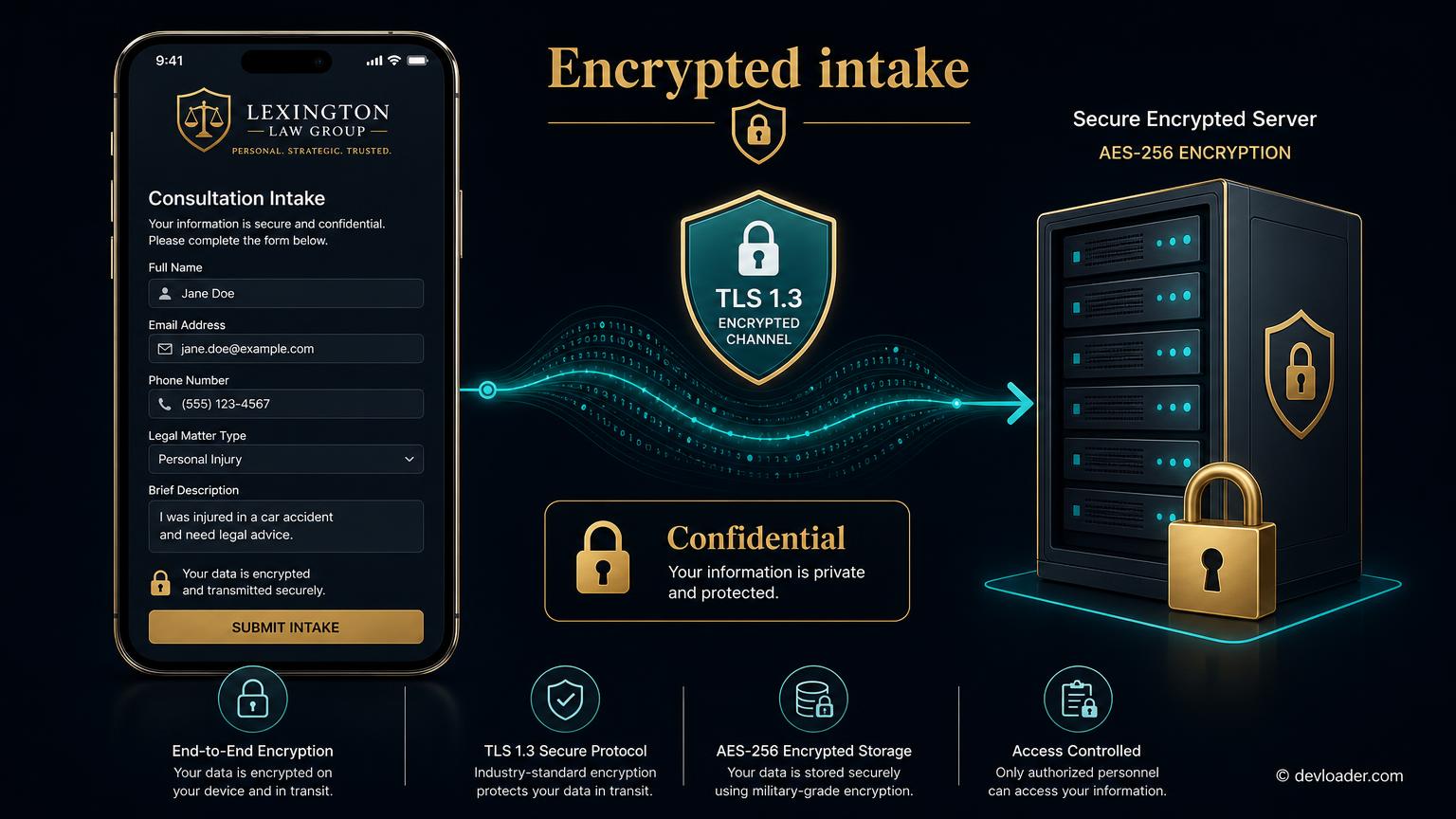 Criminal defense clients share sensitive, incriminating details during digital intake. Secure your portal using modern security headers (HSTS, Content Security Policy), 256-bit SSL/TLS encryption, and HIPAA/HITECH-compliant form handling if medical records are involved. Display explicit privacy disclaimers near submit buttons, confirming that all submitted details remain covered under attorney-client privilege to the maximum extent allowed by law.
5. Verified Client Testimonials via Schema Synchronization
Static, text-only testimonials written on an HTML page carry little weight today. Integrate dynamically synced reviews from Google Business Profile or specialized legal review platforms. Wrap these reviews in Review and AggregateRating structured data so search engines can read and display star ratings directly within search engine results pages (SERPs).
Real-World Example: Optimizing a Criminal Defense Portal
Consider a regional criminal defense practice, *Vanguard Defense Group*, operating in a highly competitive metropolitan market. Initial audits showed that despite driving 4,500 monthly organic visitors to their site, their web form submission rate sat at just 0.78% (roughly 35 leads per month).
A UX and trust-signal audit identified critical friction points:
- Case results were hidden deep within a nested secondary menu.
- Review badges were unlinked, static JPEG files with low resolution.
- Contact forms lacked privacy guarantees and security badges.
- Largest Contentful Paint (LCP) on mobile was 4.2 seconds due to uncompressed hero video backgrounds.
Optimization Interventions & Measured Results
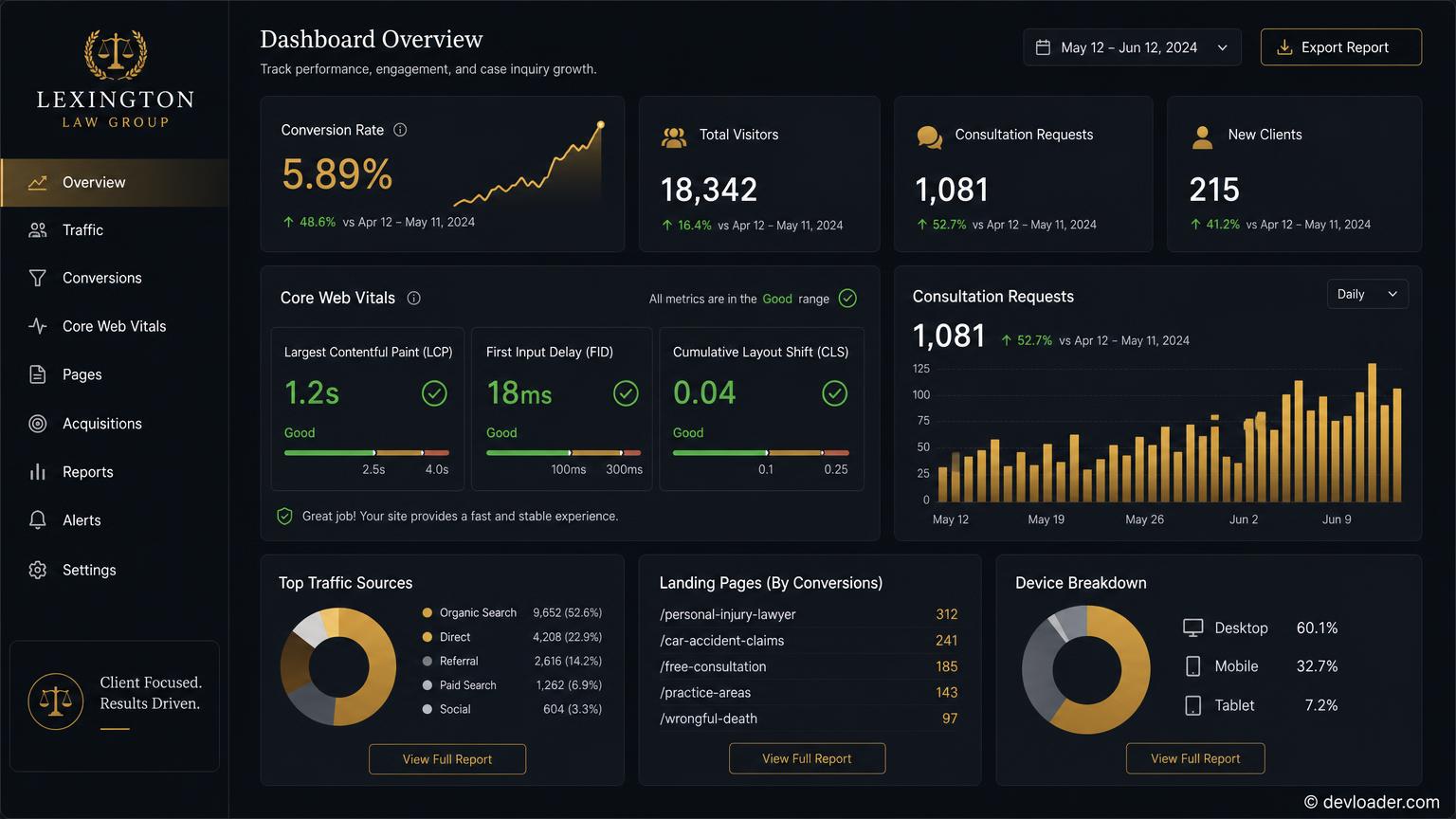
The development team executed a 30-day site overhaul focused on trust signals and technical performance:
- Hero Section Redesign: Replaced the heavy video loop with a high-resolution team photo, a 24/7 tap-to-call button, and interactive trust badges (State Bar Board Certified, Super Lawyers 2025).
- Dynamic Results Engine: Created a filterable "Case Results" module on the homepage categorized by offense type (DUI, Assault, Drug Crimes).
- Structured Data Implementation: Embedded comprehensive
LegalServiceandAttorneyJSON-LD schema across all practice area routes. - Performance & Security Tuning: Optimized asset delivery to lower mobile LCP to 1.1 seconds and added direct encryption disclaimers on intake forms.
Metric — Pre-Optimization — Post-Optimization (90 Days) — Delta
Mobile LCP (Core Web Vitals) — 4.2s — 1.1s — -73.8%
Form Conversion Rate — 0.78% — 2.85% — +265.3%
Monthly Inbound Leads — 35 — 128 — +265.7%
Bounce Rate (Mobile Emergency Pages) — 68.4% — 31.2% — -54.3%
Average Time on Site — 0m 52s — 2m 40s — +207.6%
Step-by-Step Trust Signal Implementation
Implementing these best practices requires technical precision across code, design, and content architecture. Following established best practices for law firm websites design and SEO ensures search engines parse your site's credibility markers as efficiently as human visitors do.
- Inject Comprehensive LegalService JSON-LD Schema: Embed machine-readable data into your site HTML specifying attorney bar numbers, office locations, opening hours, and accepted payment methods.
- Implement Encrypted Intake Mechanisms: Use secure REST API endpoints over HTTPS with strict CORS policies and CSRF tokens to handle form data securely.
- Deploy Accessible Emergency Contact Triggers: Add a sticky, mobile-optimized call bar with a single-tap
tel:protocol link that stays visible as users scroll through long-form legal advice pages. - Build a Filterable Case Victory Grid: Render case outcomes using clean semantic markup, allowing users to select their specific offense and see corresponding outcomes.
- Enforce Strict Content Security Protocols: Configure HTTP response headers (
Strict-Transport-Security,X-Content-Type-Options,Content-Security-Policy) to signal security diligence to browsers and privacy-conscious users. - Audit for Accessibility Compliance: Ensure contrast ratios, keyboard navigation, and screen reader labels meet WCAG 2.1 AA standards, matching broader digital accessibility standards.
Code Snippet: Schema.org LegalService Structured Data
Add the following JSON-LD script block into the <head> of your primary landing pages to communicate verified organizational details to search crawlers:
<script type="application/ld+json">
{
  "@context": "https://schema.org",
  "@type": "LegalService",
  "@id": "https://www.vanguarddefense.com/#organization",
  "name": "Vanguard Defense Group",
  "url": "https://www.vanguarddefense.com",
  "logo": "https://www.vanguarddefense.com/assets/logo.png",
  "image": "https://www.vanguarddefense.com/assets/office-header.jpg",
  "telephone": "+1-555-019-2831",
  "priceRange": "$$$",
  "hasMap": "https://maps.google.com/?cid=123456789",
  "address": {
    "@type": "PostalAddress",
    "streetAddress": "500 South Grand Ave, Suite 1800",
    "addressLocality": "Los Angeles",
    "addressRegion": "CA",
    "postalCode": "90071",
    "addressCountry": "US"
  },
  "geo": {
    "@type": "GeoCoordinates",
    "latitude": 34.0488,
    "longitude": -118.2518
  },
  "openingHoursSpecification": {
    "@type": "OpeningHoursSpecification",
    "dayOfWeek": ["Monday", "Tuesday", "Wednesday", "Thursday", "Friday", "Saturday", "Sunday"],
    "opens": "00:00",
    "closes": "23:59"
  },
  "aggregateRating": {
    "@type": "AggregateRating",
    "ratingValue": "4.9",
    "reviewCount": "184"
  },
  "areaServed": ["Los Angeles County", "Orange County"],
  "knowsAbout": [
    "Criminal Defense",
    "DUI Defense",
    "Federal Drug Charges",
    "Domestic Violence Defense"
  ]
}
</script>
Common Pitfalls and How to Fix Them
- Pitfall: Hiding legal disclaimer language or publishing case outcomes without mandatory state bar disclaimers.
Fix: Place explicit, clear disclaimer blocks directly underneath case outcome tables and within footer templates across all pages.
- Pitfall: Overusing stock photography featuring generic gavels, handcuffs, or scales of justice.
Fix: Replace stock art with professional photography of actual defense attorneys, real office spaces, and genuine local court buildings.
- Pitfall: Neglecting mobile load times by overloading landing pages with unoptimized image assets and tracking scripts.
Fix: Compress all images using Next-Gen formats (WebP/AVIF), defer non-essential scripts, and enforce strict Core Web Vitals performance budgets.
- Pitfall: Failing to include direct privacy declarations on intake forms handling legal disclosures.
Fix: Add explicit messaging adjacent to all submit buttons stating that submissions are confidential and protected under legal privacy protocols.
- Pitfall: Using non-functional or unlinked legal badges that visitors cannot verify on official directory sites.
Fix: Hyperlink review and award badges directly to your official profile pages on Avvo, Super Lawyers, or state bar directories.
Technical Approach Comparison
When deciding how to build a criminal defense firm's web infrastructure, choosing the right platform impacts security, performance, and trust signal flexibility. Combining custom development with thoughtful design yields the best balance for high-intent legal sites, as highlighted in our guide to user-friendly law firm website design tips.
Metric / Requirement — Custom Next.js / Headless Build — Standard WordPress + Page Builders — Proprietary Legal Directory Sites
Core Web Vitals & Speed — Sub-second LCP (95-100 Lighthouse) — Moderate to Poor (30-60 Lighthouse) — Variable (Vendor Locked)
Security & Privacy Control — High (Serverless, Zero Database Exposure) — Medium-Low (Vulnerable to Plugin Exploits) — High (Closed Ecosystem)
Structured Data Customization — Unlimited / Dynamic JSON-LD APIs — Plugin Dependent (Often Rigid) — Restricted
Conversion UX Flexibility — Complete control over custom intake flows — Limited to template/plugin layouts — Standardized cookie-cutter templates
Long-term Ownership Cost — Low maintenance after build — Moderate (Constant plugin/security patches) — High recurring vendor licensing fees
FAQ
What are the most critical trust signals on a criminal defense website?
The top trust signals include verified third-party review ratings (Google, Avvo), prominent attorney bar credentials, clear case victory statistics with disclaimers, secure intake protocols, and professional photos of the actual defense team.
Can criminal defense attorneys list specific case results on their website?
Yes, in most jurisdictions attorneys can publish case results provided they are factual, non-misleading, and accompanied by the required state bar disclaimers clarifying that past results do not guarantee future outcomes.
How does website load speed affect client conversions for criminal defense law firms?
Users seeking emergency legal assistance have zero tolerance for slow load times. If a site fails to render within two seconds on a mobile device, users typically return to search results to find a competing attorney.
What schema markup should a criminal defense attorney website use?
At a minimum, implement LegalService, Attorney, PostalAddress, AggregateRating, and Review schema formats using structured JSON-LD to feed accurate business metadata directly to search engine crawlers.
Why is end-to-end form encryption vital for legal websites?
Potential clients frequently share sensitive information when describing their legal emergency. Secure end-to-end encryption reassures users that their personal information and preliminary statements remain confidential.
How do trust signals improve legal SEO and YMYL rankings?
Google evaluates legal websites under strict E-E-A-T guidelines. Including clear author credentials, state bar licensing numbers, verified reviews, and Schema.org markup directly signals site quality and authority to ranking algorithms.
Related concepts
- Best Practices for Law Firm Websites: Design & SEO
- User-Friendly Law Firm Website Design Tips
- Essential Law Firm Web Design: Key Elements & Tips
- Boosting Client Engagement: Web Design for Lawyers
- Digital Accessibility Updates: Navigating 2024 Standards
Ready to elevate your legal practice's online footprint with secure, high-converting digital architecture? Explore our full suite of modern engineering and design Services to transform your digital strategy today.